A4 Landscape Brochure Printing Starts With the Finished Size
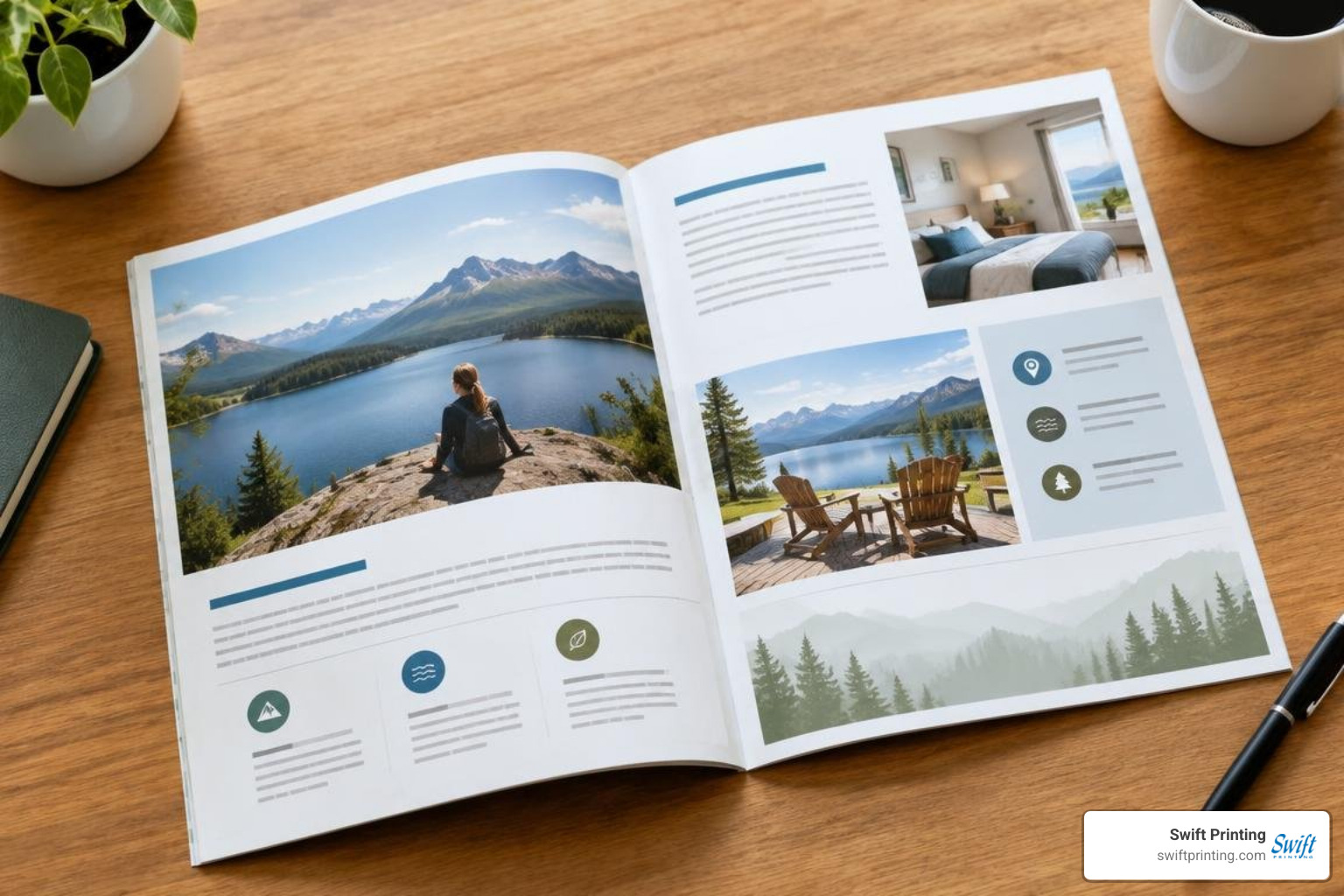
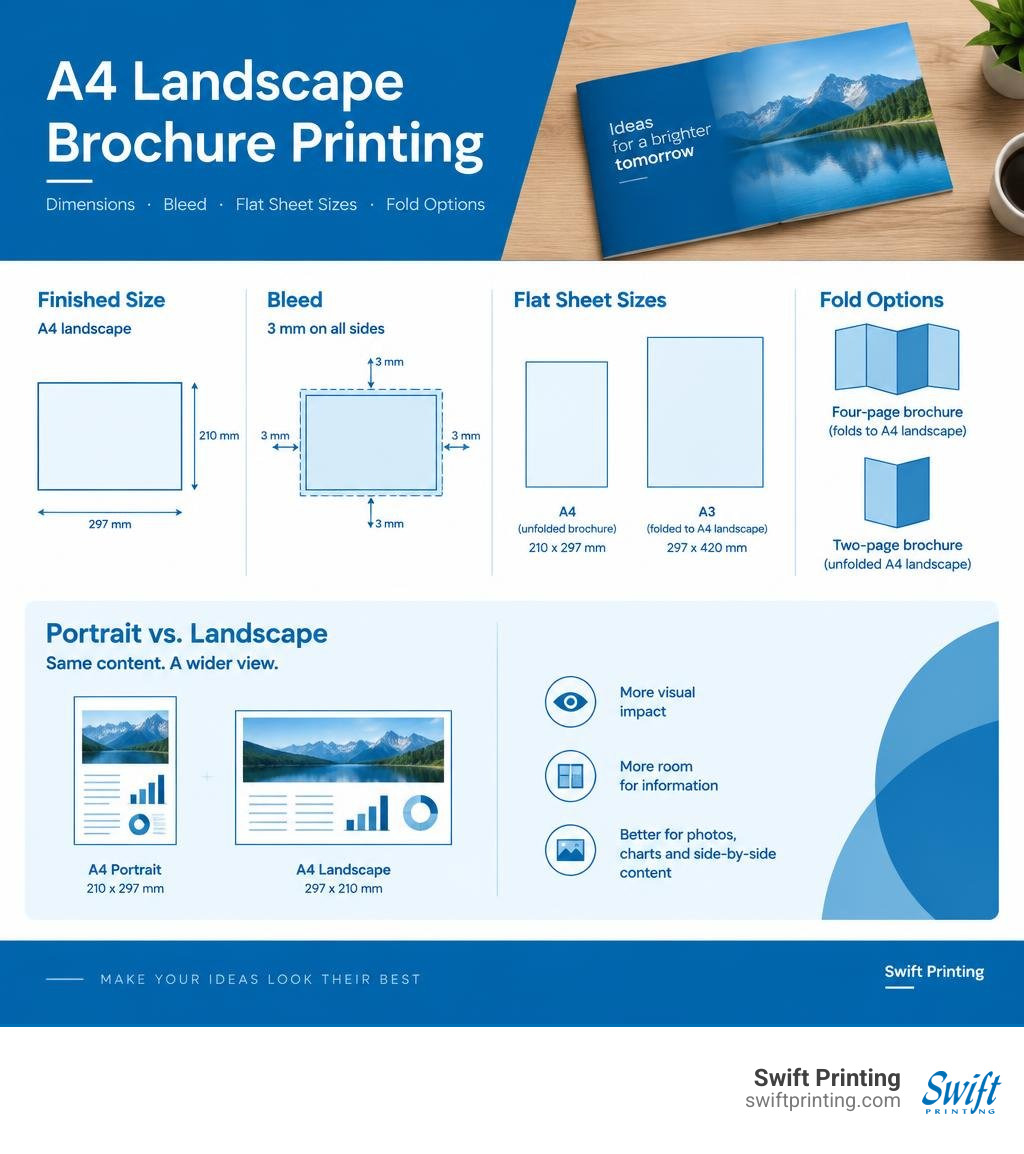
An A4 landscape brochure measures 297 x 210 mm when finished. Before you design it, decide whether you need a single sheet or a bound booklet: a four-page brochure that folds to A4 landscape starts as an A3 sheet, while an unfolded brochure starts as A4. Set up the artwork with 3 mm of bleed, high-resolution images, and print-ready CMYK color.
That wider page gives photos, charts, and side-by-side information room to breathe. It can work well for a consulting proposal, medical guide, or business overview. The fold, paper, and binding you choose will determine how the finished piece feels and how the artwork should be laid out.
I'm Jessica Gutowski-Slaydon, president of Swift Printing, where I help clients plan projects like A4 landscape brochure printing, from paper choice and file setup to folds and binding. Our high-end print shop sets the standard for boutique business printing by helping clients make those decisions before their work goes to press. The ISO 216 standard defines the A-series paper sizes that make this format consistent across international markets.
Strategic Advantages and Dimensions of A4 Landscape Formats
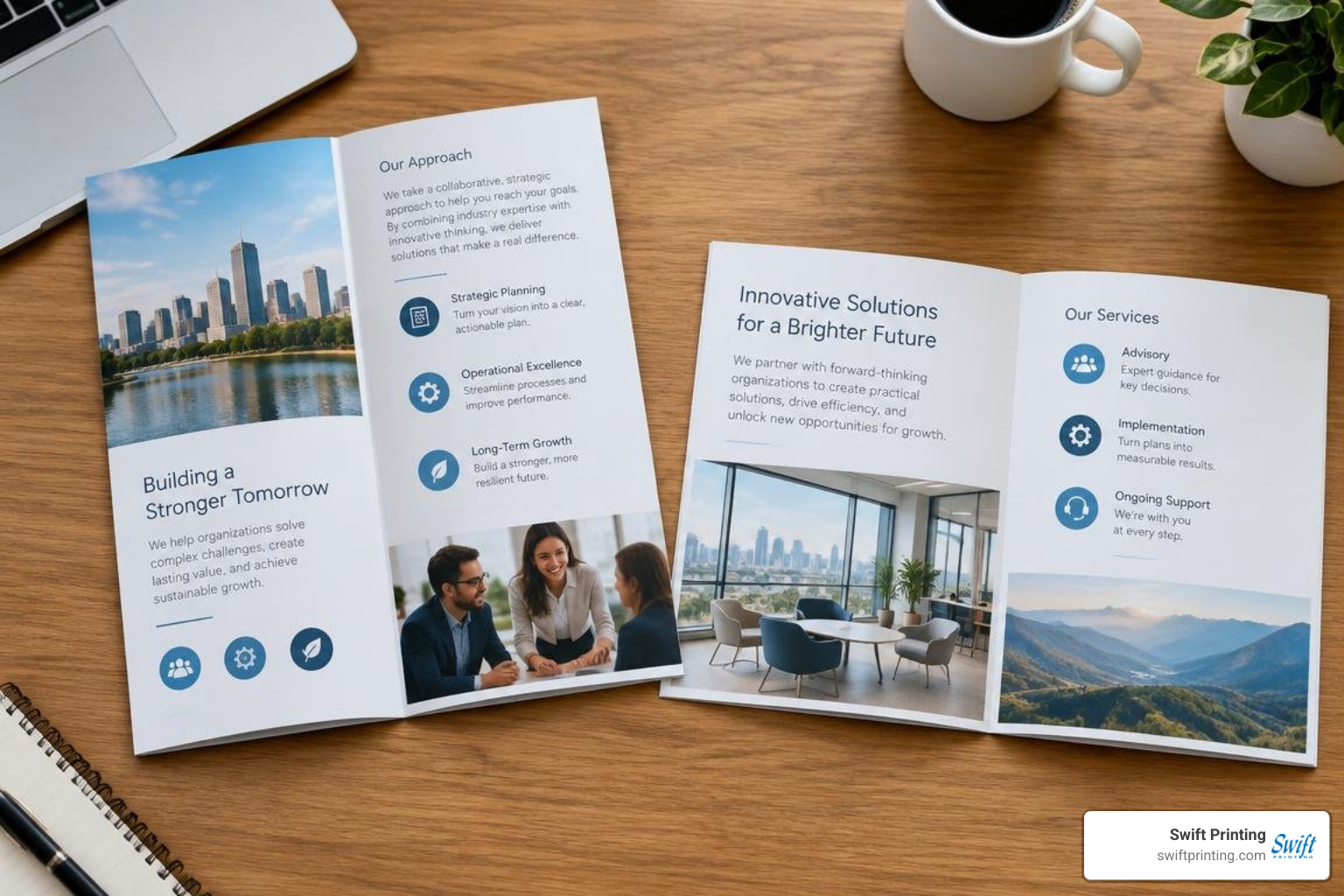
When planning collateral for executive presentations, boardroom proposals, or specialized clinical overviews, orientation establishes the reader's entire visual journey. While vertical documents are standard for everyday letters, a horizontal aspect ratio naturally mirrors modern widescreen digital environments. This orientation provides an expansive visual stage that standard portrait formats cannot replicate.
The standard dimensions of an A4 sheet are defined under international standards, measuring exactly 297 mm in width by 210 mm in height (11.69 x 8.27 inches) when laid horizontally.
Why do medical networks, legal practices, consulting firms, and public agencies select horizontal formats for brochure printing?
- Cinematic Visual Impact: Horizontal layouts allow wide photography, facility architectural renders, and medical facility diagrams to span entire pages without vertical cropping.
- Complex Data Visualization: Financial balance sheets, multi-year strategic roadmaps, and detailed organizational charts can expand across columns naturally without shrinking font sizes below legible thresholds.
- Natural Reader Ergonomics: When opened on conference tables or executive desks, a landscape spread rests flat and matches the natural horizontal scanning path of the human eye.
- Distinction in the Hand: In a pile of standard vertical mail and portrait packets, a horizontal document commands attention immediately.
Understanding the difference between flat size and finished size is critical when mapping your project. A single-sheet flat flyer matches its finished size of 297 x 210 mm. However, a 4-page folded piece starts as an A3 flat sheet (420 x 297 mm) before receiving a center score and fold to produce four distinct A4 landscape panels. Ensuring your design respects these dimensional realities guarantees that your finished presentation feels balanced and intentional.
Key Specifications for A4 Landscape Brochure Printing
Producing clean landscape collateral requires precision across prepress, press setup, and bindery operations. Commercial printing standards emphasize that every parameter—from ink balance to grain direction—affects the final result.
Color fidelity starts with the four-color CMYK process (Cyan, Magenta, Yellow, and Key/Black). High-end brand guidelines often require exact corporate hues that process builds cannot match; in these instances, specified Pantone (PMS) spot colors are integrated to ensure consistency across corporate logos, legal seals, and institutional branding elements.
| Stock Name | Basis Weight / Caliper | Finish Type | Primary Application | Tactile Characteristics |
|---|---|---|---|---|
| 150 gsm Gloss Text | ~100# Gloss Text | High Sheen Coated | Photo-heavy inserts, event programs | Crisp, vibrant color reflection |
| 170 gsm Silk / Matte | ~115# Velvet Text | Low-Glare Coated | Consulting proposals, corporate overviews | Sophisticated, glare-free readability |
| 250 gsm Cover | ~90# Cover | Coated or Smooth Uncoated | Heavyweight 4-page bi-folds | Substantial hand feel, structural rigidity |
| 16 pt Cardstock | Premium Heavy Board | Matte, Silk, or Soft-Touch | Executive presentation covers | Rigid, luxury foundation |
Paper Weight and Stock Selection
Selecting the right paper substrate establishes your brand's physical presence before a single word is read. Our official guide to paper highlights how stock weight directly influences opacity, handling, and visual prestige.
For text-heavy white papers and analytical briefings, 170 gsm matte or silk text offers a surface that minimizes glare under office lighting while preventing ink show-through across double-sided color layouts. When designing a standalone 4-page executive summary or corporate overview, a sturdier 16 pt cardstock or 250 gsm cover stock provides the backbone needed to prevent page droop when held with one hand.
Choosing Digital vs Offset for A4 Landscape Brochure Printing
Selecting the appropriate press technology depends on your production timeline, volume requirements, and specific finishing needs.
- Digital Press Production: Utilizing digital printing technology allows for rapid turnaround, on-demand short runs, and direct variable data personalization. Digital printing accommodates projects requiring swift execution without sacrificing detail.
- Commercial Offset Production: For larger runs, commercial offset printing utilizes calibrated aluminum plates and cylinder ink distribution across large sheet sizes. Offset printing delivers consistent solid ink coverage across expansive landscape spreads while accommodating custom PMS spot inks and specialty coating options.
Because an A4 landscape sheet feeds with its wide 297 mm edge or requires an oversized parent sheet when running multiple-up, press registration and sheet alignment must be monitored to ensure razor-sharp color alignment across wide margins.
Fold Types, Page Layouts, and Binding Methods

Landscape formats present unique folding and bindery opportunities. Whether your message fits on a single scored sheet or requires a multi-page binding format, choosing the proper mechanical approach is essential. Specialized finishing techniques require careful alignment between the fold lines and the page layout.
Single-Sheet Fold Configurations
Single-sheet brochures can be configured into several standard panels:
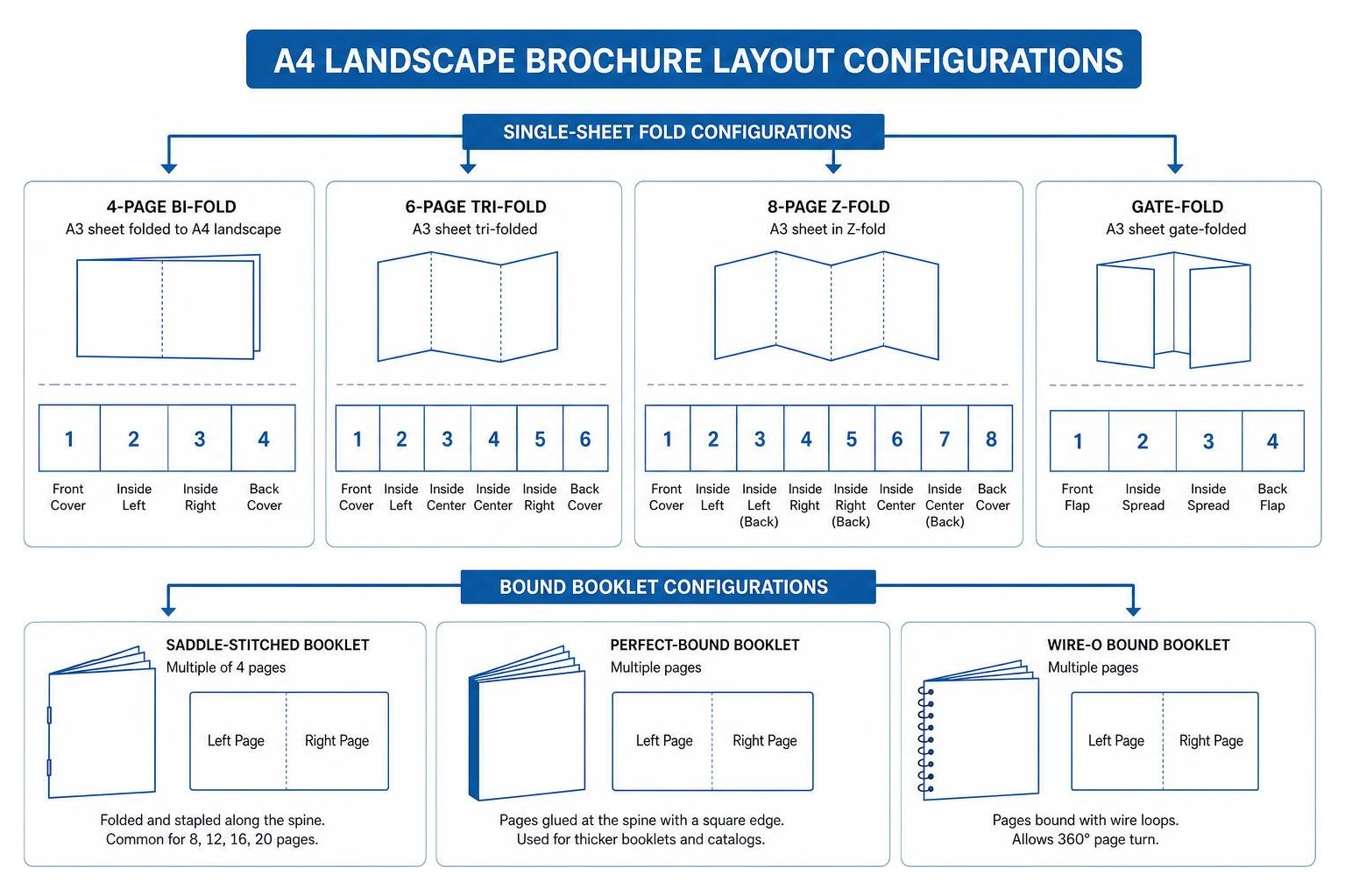
- 4-Page Bi-Fold (A3 to A4 Landscape): An A3 sheet (420 x 297 mm) is scored and folded vertically down the center. This creates four panels: Front Cover, Inside Left Spread, Inside Right Spread, and Back Cover. It is an ideal layout for corporate profiles, executive summaries, and architectural proposals.
- DL Roll Tri-Fold: An A4 flat sheet is divided into three vertical panels that fold inward over one another to finish at a compact DL size (99 x 210 mm).
- DL Z-Fold / Accordion Fold: An A4 flat sheet is folded in alternating directions like an accordion, creating a dynamic, chronological narrative that can open fully flat on a table.
When folding heavier coated stocks, our bindery applies precise mechanical scores before folding. This compresses the paper fibers and prevents toner cracking along dark ink edges.
Multi-Page Binding: Saddle Stitch vs Mechanical Binding
When your content exceeds four panels, turning to our guide on commercial book binding helps identify the right structure:
- Saddle-Stitched Landscape Booklets: Securely bound using wire staples driven through the folded spine along the short 210 mm edge. This layout provides an expansive 594 x 210 mm open spread, ideal for visual timelines and wide charts. When planning a multi-page document, reviewing our A4 saddle stitch guide ensures your page count follows required four-page increments.
- Wire-O and Coil Binding: For thick compliance manuals, medical training manuals, and engineering documentation that must lay completely flat or rotate 360 degrees, mechanical coil or double-loop wire binding along the 210 mm edge provides dependable durability. Explore our guide to multi-page booklets for comprehensive structural comparisons.
File Preparation and Prepress Best Practices
Proper file preparation eliminates production delays and guarantees that your horizontal layout reproduces with clarity. Reviewing common print file mistakes before releasing artwork ensures high quality on press.
| Brochure Format | Flat Dimensions | Finished Panel Dimensions | Recommended Bleed | Critical Margin / Quiet Zone |
|---|---|---|---|---|
| A4 Landscape Flat Sheet | 297 x 210 mm | 297 x 210 mm | 3 mm all sides | 5 mm from trim edge |
| A4 Landscape 4-Page Bi-Fold | 420 x 297 mm | 210 x 297 mm (folded) | 3 mm all sides | 5 mm from trim & fold line |
| DL Roll Tri-Fold (from A4) | 297 x 210 mm | 100 mm / 100 mm / 97 mm | 3 mm all sides | 4 mm from all fold lines |
| DL Z-Fold (from A4) | 297 x 210 mm | 99 mm / 99 mm / 99 mm | 3 mm all sides | 4 mm from all fold lines |
Artwork Setup Checklist for A4 Landscape Brochure Printing
Before submitting your production PDF, confirm your document matches these technical criteria:
- Resolution Standards: Ensure all raster photography and scanned elements are set to a minimum of 300 DPI at 100% scale.
- Color Mode Conversion: Build all files in CMYK. Convert RGB digital camera captures and web graphics to commercial CMYK profiles to avoid unexpected color shifts.
- Typography & Vectors: Convert fonts to outlines or embed them within the PDF. Keep vector logos in native vector formats for crisp line work.
- Export Format: Output production files as PDF/X-1a or PDF/X-4 with single pages or printer spreads as requested by your prepress specialist.
- Crop and Bleed Settings: Ensure files include correct trim marks and bleed settings by referencing our guide on why crop and bleed marks matter in printing.
- Template Consistency: If you utilize layout templates, verify that all layer margins match your specific bindery parameters.
Creep, Margin, and Bleed Allowances
To ensure clean finishing, every layout requires adequate bleed and margin tolerances.
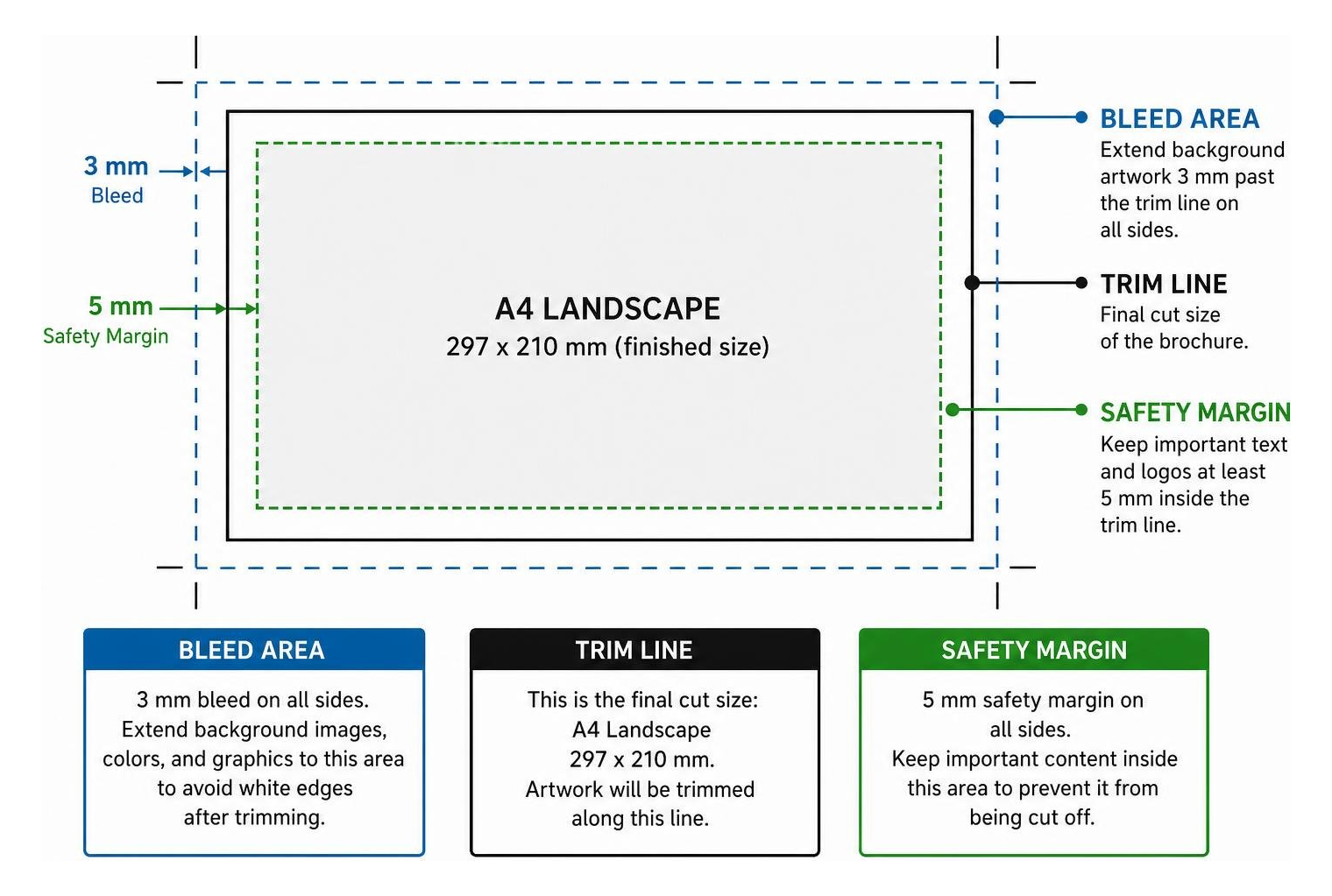
- 3 mm Exterior Bleed: Extend all background images, color blocks, and graphics 3 mm past the final trim line on all sides. This prevents white paper slivers along the perimeter during high-speed cutting.
- 5 mm Internal Safety Margin: Keep running text, body copy, page numbers, and vital logos at least 5 mm inside the trim line to prevent content from falling too close to the edge after cutting.
- Roll-Fold Panel Deductions: On a roll tri-fold, the inner tuck-in panel must be designed 2 to 3 mm narrower than the outer panels (e.g., 100 mm + 100 mm + 97 mm = 297 mm flat width). Failing to deduct this width will cause the brochure to buckle when folded.
- Spine Creep Allowance: In saddle-stitched landscape booklets with high page counts, the middle sheets naturally push outward. Our prepress team adjusts creep dynamically, but keeping outside page margins generous ensures visual consistency across all pages.
Frequently Asked Questions About Landscape Brochure Printing
What is the exact flat size and finished size of an A4 landscape brochure?
A single-sheet A4 landscape brochure has a flat and finished size of 297 x 210 mm (11.69 x 8.27 inches). When creating a standard 4-page bi-fold brochure that closes to an A4 landscape finished size, the flat size is an A3 sheet measuring 420 x 297 mm, scored and folded in half. Always include a 3 mm bleed around the entire perimeter of the flat sheet during artwork setup.
When should I choose an A4 landscape brochure over a multi-page booklet?
Choose a single-sheet 4-page A4 landscape brochure when your content is concise, visual, and can be digested quickly—such as an executive overview, property development sheet, or high-level capabilities statement. If your content requires detailed case studies, technical specifications, financial tables, or staff directories that span eight or more pages, select a multi-page saddle-stitched or wire-bound landscape booklet.
Why do inner panels need to be narrower on tri-fold landscape brochures?
On roll tri-fold brochures, the third panel folds directly into the interior of the piece. Because paper has physical thickness, an inner panel built to the exact same width as the outer panels will jam against the spine, causing the brochure to buckle and bow rather than lay flat. Narrowing the tuck-in panel by 2 to 3 mm provides the necessary physical clearance for a clean fold.
Conclusion
Creating high-impact A4 landscape collateral requires careful attention to format selection, paper weight, color management, and bindery tolerances. When executed with precision, horizontal brochures provide a distinctive, cinematic platform for sharing critical proposals, healthcare guides, and corporate achievements.
At Swift Printing, our high-end print shop sets the standard for boutique business printing. We work alongside legal teams, medical institutions, consultancies, and public agencies to bring complex print projects to life with clarity and care.
To plan your next horizontal presentation, consult with our prepress team through our commercial printing partner portal, and let us handle your project with precision from initial proof to final delivery.