Introduction
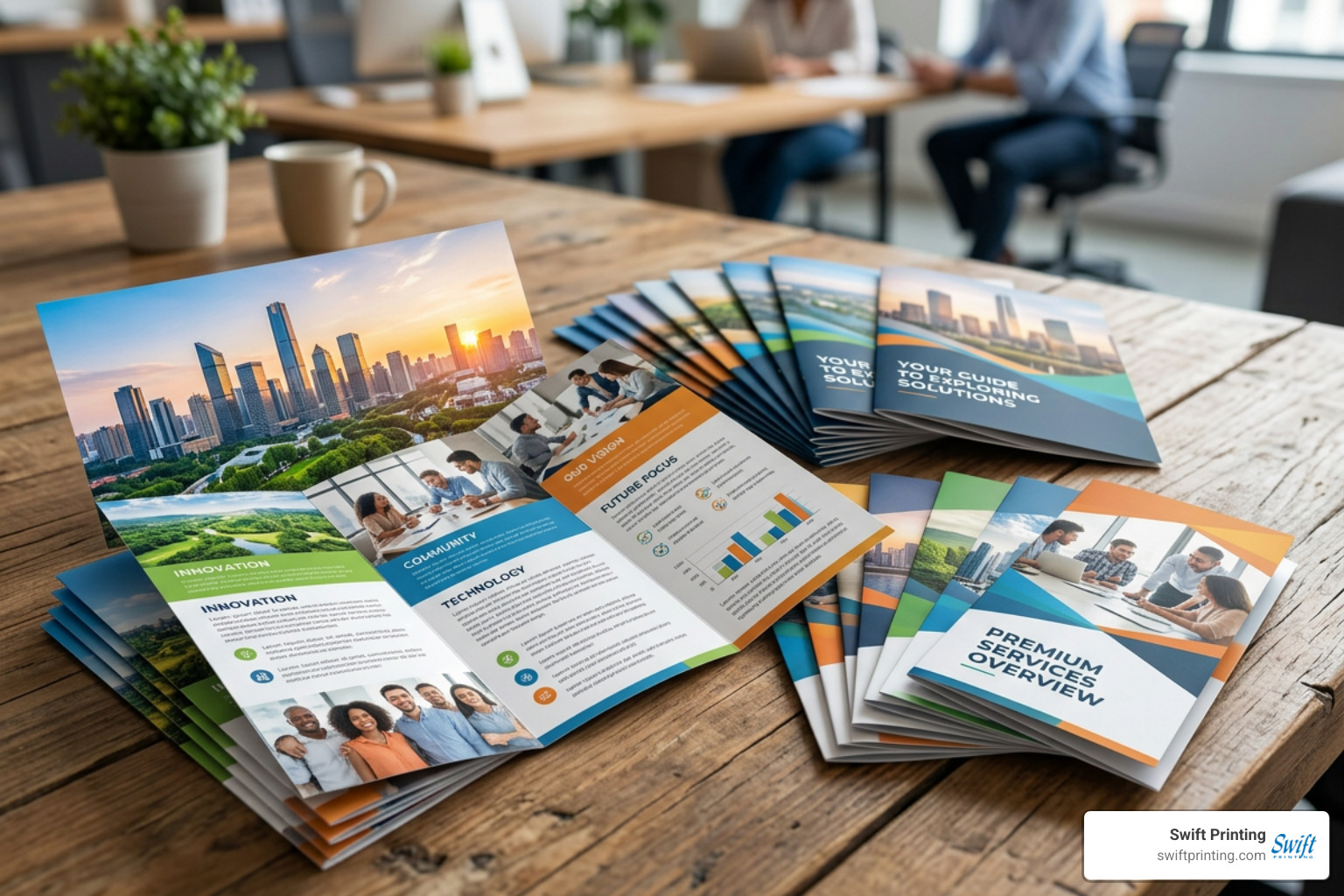
Successful brochure printing requires balancing printing technology (digital for short runs versus offset for bulk orders), choosing the right paper stock weight and finish, selecting a functional fold configuration, and preparing clean, print-ready files with standard bleed and CMYK color settings. Getting these elements right ensures your collateral delivers clear communication, durability, and strong visual appeal.
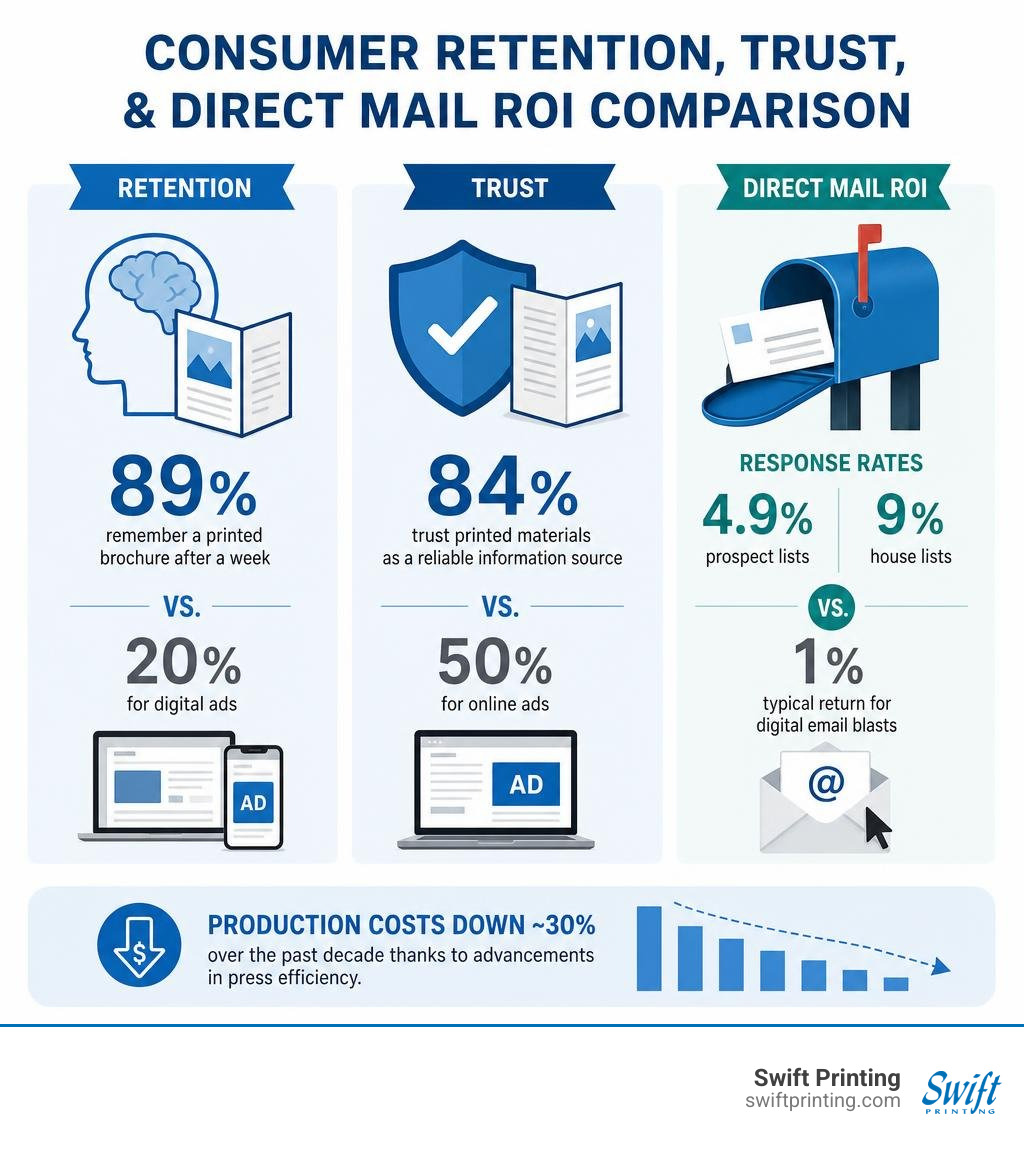
Tactile marketing continues to thrive in our screen-saturated world because tangible pieces create authentic consumer trust. When someone holds a well-crafted piece of print, they engage multiple senses at once. Industry research highlights that 89% of consumers remember a printed brochure after a week, compared to just 20% for digital ads. Furthermore, 73% of consumers report that they prefer receiving printed marketing materials over digital communications when making purchasing decisions, and 84% trust printed materials as a reliable information source versus only 50% for online ads.
Direct mail campaigns featuring folded collateral regularly deliver response rates of 4.9% for prospect lists and up to 9% for house lists—far outpacing the typical 1% return seen in digital email blasts. Over the past decade, production costs have dropped by roughly 30% thanks to breakthroughs in press efficiency, making custom collateral accessible for local businesses, schools, and non-profits alike.
Technologies in Commercial Brochure Printing: Digital vs. Offset
Understanding the core press technology behind your order helps you balance speed, volume, and budget. Commercial facilities rely on two primary methods: modern production digital presses and traditional offset lithography.
| Feature | Digital Printing | Offset Printing |
|---|---|---|
| Best Run Length | 25 to 1,000 units | 1,000+ to 100,000+ units |
| Setup Process | Direct digital file to toner/inkjet | Direct-to-plate chemical imaging |
| Turnaround Time | Same-day to 48 hours | 3 to 7 business days |
| Unit Economics | Flat cost per unit | Decreases sharply as volume increases |
| Variable Data | Yes (names, addresses, custom imagery) | No (static artwork across run) |
| Color Control | Advanced automated calibration | Custom PMS ink mixing and ink fountain control |
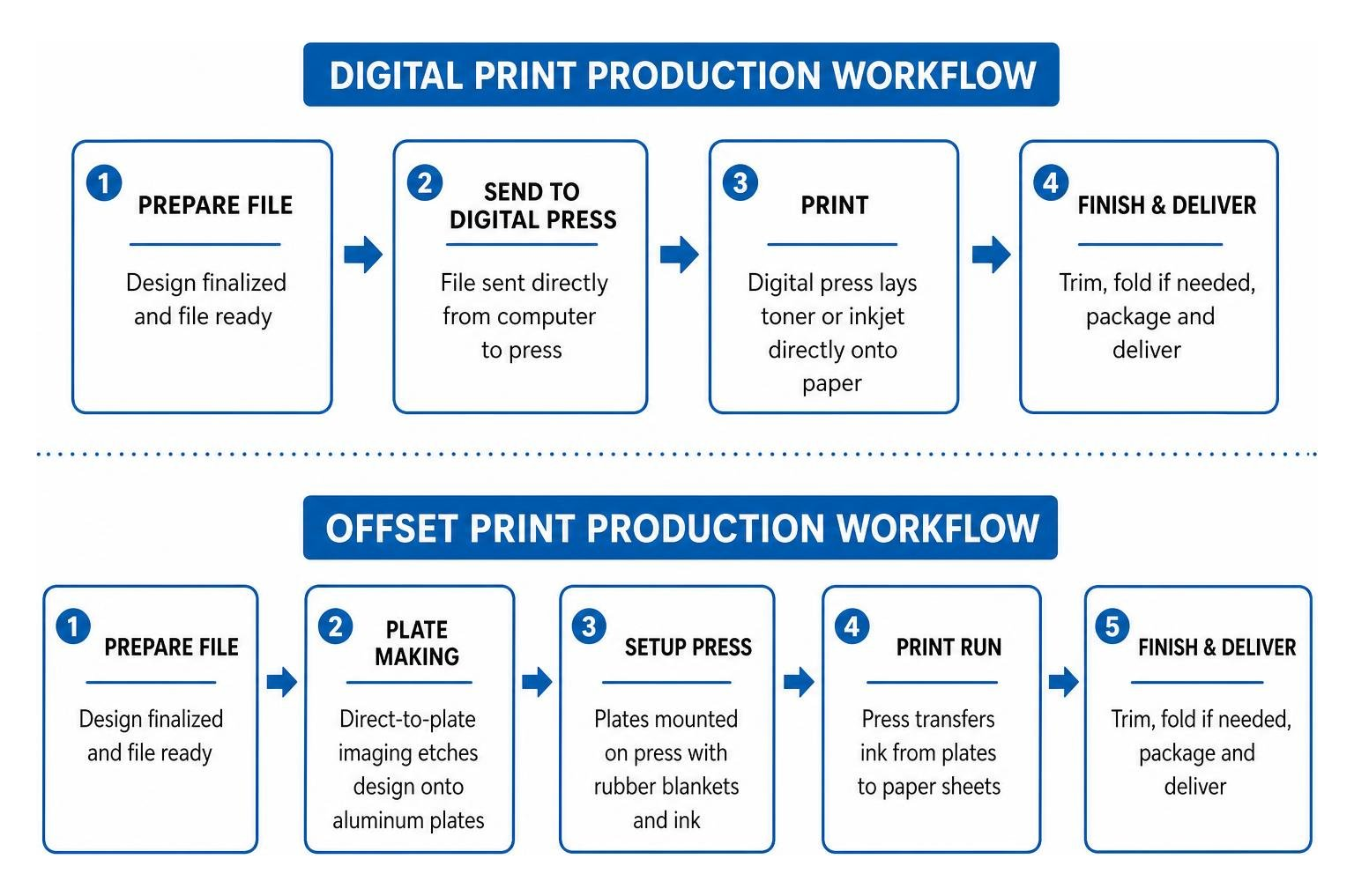
Direct-to-plate technology powers offset lithography, where your design is etched onto aluminum plates, transferred to rubber blankets, and pressed onto paper sheets. Digital presses use high-definition dry electrophotographic toners or commercial inkjet engines to lay ink directly onto paper on demand.
When you need rapid delivery or short-run test batches, digital short run printing lets you order exact quantities without paying for physical press plates. That agility explains why last minute printing doesn't have to look rushed; current digital engines match offset color density while supporting tight deadlines.
Digital Printing for Short Runs
Digital production excels at agile marketing. Because setup takes minimal time, you can order 50 event programs or 250 sales brochures without carrying unwanted inventory. It also unlocks variable data printing, allowing you to personalize text, promo codes, and recipient addresses across a single print run.
Offset Printing for High-Volume Campaigns
Offset printing remains the gold standard for high-volume marketing campaigns, bulk regional mailers, and corporate brand suites. While creating physical plates requires upfront setup costs, the per-unit price drops dramatically once the press gets up to speed, delivering unmatched long-term cost efficiency on large runs.
Selecting the Right Paper Stocks and Premium Finishes
Your choice of paper establishes your brand's physical impression before a customer reads a single word. Understanding why paper matters more than you think helps you choose a sheet that feels substantial, folds cleanly, and protects your design.
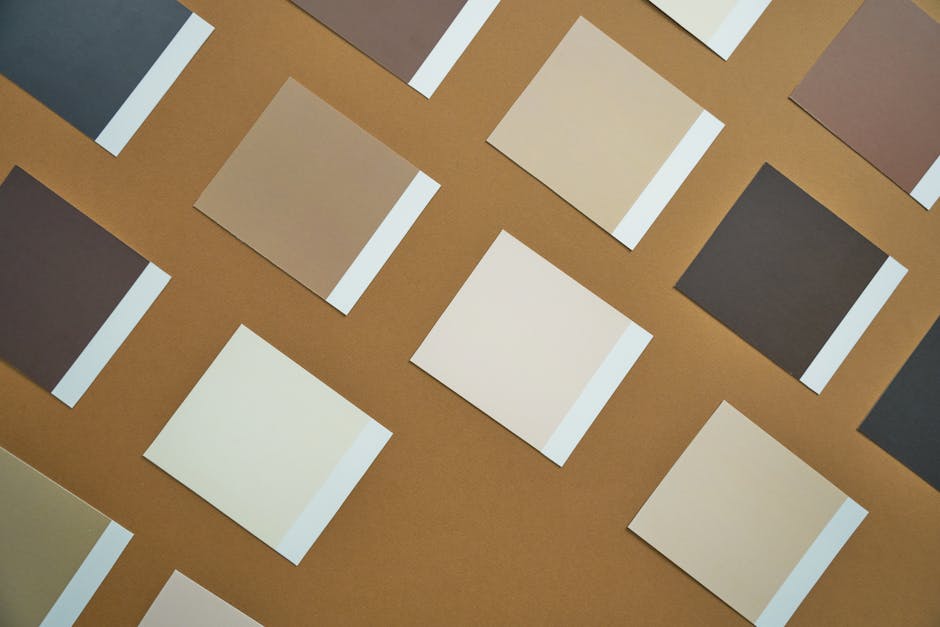
Paper Weight and Texture Options
Paper is generally divided into text stocks (flexible inner sheets) and cover stocks (rigid, card-like sheets). Weights are measured in pounds (lb) or points (pt):
- 70lb to 80lb Text: Lightweight and cost-effective, ideal for high-volume utility inserts, take-out menus, and mass mailings.
- 100lb Gloss or Matte Text: The industry standard for sales brochures; offers a substantial hand feel without cracking along fold lines.
- 100lb Cover Stock: Heavyweight and premium, delivering a card-like presence suited for luxury real estate, financial services, and folders.
- Uncoated and Recycled Stocks: Natural, tactile sheets that provide warm readability and showcase sustainable brand commitments.
Protective Coatings and Specialty Embellishments
Adding high-end surface treatments guards against scuffs while directing the reader's eye. Exploring finishing options for printing opens up several decorative routes:
- Aqueous Coating: A fast-drying, water-based layer applied in-line to prevent fingerprints and smudging.
- UV Coating: A cured liquid layer that creates an ultra-high gloss sheen with vibrant color contrast.
- Soft-Touch Lamination: A velvety matte film that adds durability and an inviting, tactile texture.
- Spot UV and Foil Stamping: Targeted visual accents that highlight logos, taglines, or patterns with glossy varnish or reflective metallic foil.
- Embossing and Debossing: Raised or recessed 3D patterns pressed into the sheet for distinctive physical depth.
Choosing Brochure Sizes, Fold Configurations, and Layout Formats
A successful layout guides the reader through a logical flow of information. Reviewing practical design tips like nine things you can do to make your printing materials look great will help you organize your text hierarchy and visual elements effectively across every panel.
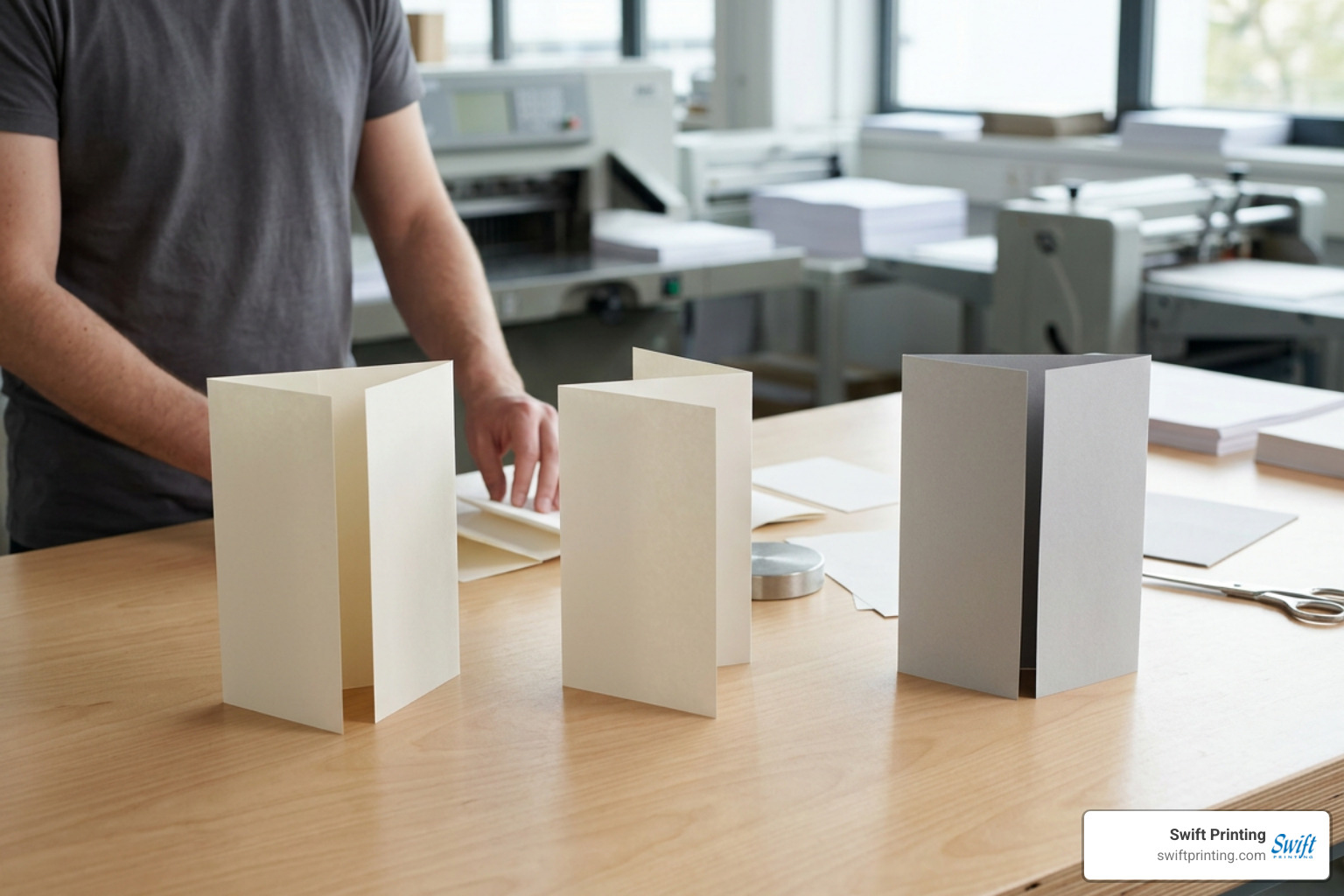
Standard Brochure Dimensions
- 8.5 x 11 inches: The classic letter format; widely used for standard tri-folds and half-folds.
- 8.5 x 14 inches: Legal-sized paper offering extra panel width for product menus, service tier comparisons, or bilingual copy.
- 11 x 17 inches: Tabloid size; folds down into an 8.5 x 11-inch four-page presentation folder or spreads out into an informative mini-poster.
- 11 x 25.5 inches: An expansive multi-panel format designed for broad panoramic visuals, timeline maps, and architectural overviews.
Common Fold Styles
- Tri-Fold (C-Fold): Three panels folded inward over one another; an intuitive, compact format for rack displays.
- Z-Fold: Three panels folded in an accordion zigzag; ideal for sequential storytelling or step-by-step guides.
- Half-Fold (Bi-Fold): A single central crease creating a four-page booklet experience.
- Gate Fold: Two outer panels opening outward like double doors to reveal a dramatic central spread.
- Double Parallel Fold: The sheet folds in half and then in half again in the same direction, creating an eight-panel pocket handout.
- Accordion Fold: Four or more panels zigzagging out, making it easy to skim extensive technical specifications or event schedules.
Technical File Preparation and Quality Control
Getting your technical specifications right in your layout application prevents production delays and ensures crisp, vibrant results on press. Checking for the 10 most common print file mistakes and how to avoid them saves time and keeps your project on schedule.
Preparing Artwork Files for Brochure Printing
- Bleed Allowance: Add a 0.125-inch (1/8") bleed area around all outer edges so background colors and images extend past the cut line without leaving white slivers.
- Safety Margins: Keep live text, logos, and critical details at least 0.125 to 0.25 inches inside the trim line and score marks.
- Resolution Settings: Build raster images to at least 300 DPI at 100% scale to prevent pixelation.
- Export Standards: Generate print-ready PDF/X files with embedded fonts and vector graphics. If you design online, learn how to prepare a Canva file for the printer by selecting high-resolution PDF print downloads with bleed and crop marks turned on.
Managing Color Accuracy and Proofing
Digital monitors display images in additive RGB light, whereas commercial presses use subtractive CMYK process inks (Cyan, Magenta, Yellow, and Key/Black). Convert all artwork to CMYK before exporting to catch any color gamut shifts. For exact brand matching on corporate logos, specify spot inks using the Pantone Matching System (PMS). Always evaluate a calibrated digital PDF proof or order a physical press proof to verify image clarity, panel sequencing, and folding alignment before starting full production.
Budgeting, Pricing Factors, and Production Value
Working with full-service commercial printing Grand Rapids partners helps you optimize your project specifications to match your exact budget in USD.
Key Factors Influencing Brochure Printing Costs
- Order Quantity: Unit prices drop significantly as production quantities increase due to press setup efficiencies.
- Paper Weight and Finishes: Upgrading from standard 80lb text to heavy cover stock or soft-touch lamination adds modest material costs while elevating presentation value.
- Custom Die-Cutting and Folding: Unique shapes, gate folds, or multi-panel layouts require specialized scoring and bindery setup.
- Turnaround Speed: Fast-turnaround rush schedules require dedicated press time, whereas standard production windows keep overall costs lower.
Professional Print Providers vs. In-House Office Printing
Office desktop printers often struggle with edge-to-edge printing, handle heavy cardstocks inconsistently, and suffer from high toner cartridge costs. Professional print providers run high-volume presses equipped with inline registration, automated folding, precise creasing, and accurate spectrophotometer color control. This eliminates wasted paper, keeps color consistent across thousands of copies, and delivers a polished finished product.
Frequently Asked Questions About Brochure Printing
What is the standard turnaround time for a custom brochure order?
Standard production for digitally printed brochures typically takes 2 to 4 business days following final PDF proof approval. High-volume offset orders with specialty coatings or custom die-cut folds generally require 5 to 7 business days. Rush options are often available when deadlines are tight.
Why do digital screen colors look different when printed on paper?
Computer screens emit backlit RGB light with a broad color spectrum, whereas printed paper reflects ambient light off physical CMYK ink layers. Coated and uncoated sheets absorb ink differently, which slightly influences vibrancy and saturation. Reviewing a hardcopy proof ensures you see how your colors translate to paper.
How do I ensure my folded panels line up correctly during printing?
In a standard tri-fold, the inside panel that tucks inward must be made roughly 1/16-inch to 1/8-inch narrower than the front and back cover panels so the piece lies flat without buckling. Using a printer-supplied prepress template guarantees your score lines, margins, and panel dimensions align before your file goes to press.
Conclusion
A well-crafted brochure bridges the gap between digital marketing and real-world relationships. By choosing the right paper stock, fold style, and color-managed print workflow, your business can deliver a tangible brand experience that earns attention, builds trust, and drives measurable responses.
When you are ready to produce high-impact marketing collateral tailored to your brand, reach out to our team at Swift Printing. As a Certified B Corporation, we combine modern commercial printing capabilities with a commitment to our local community and sustainable production practices.