The Definitive Guide to Durable QR Code Stickers
How Quick Response Technology Enhances Physical Labels
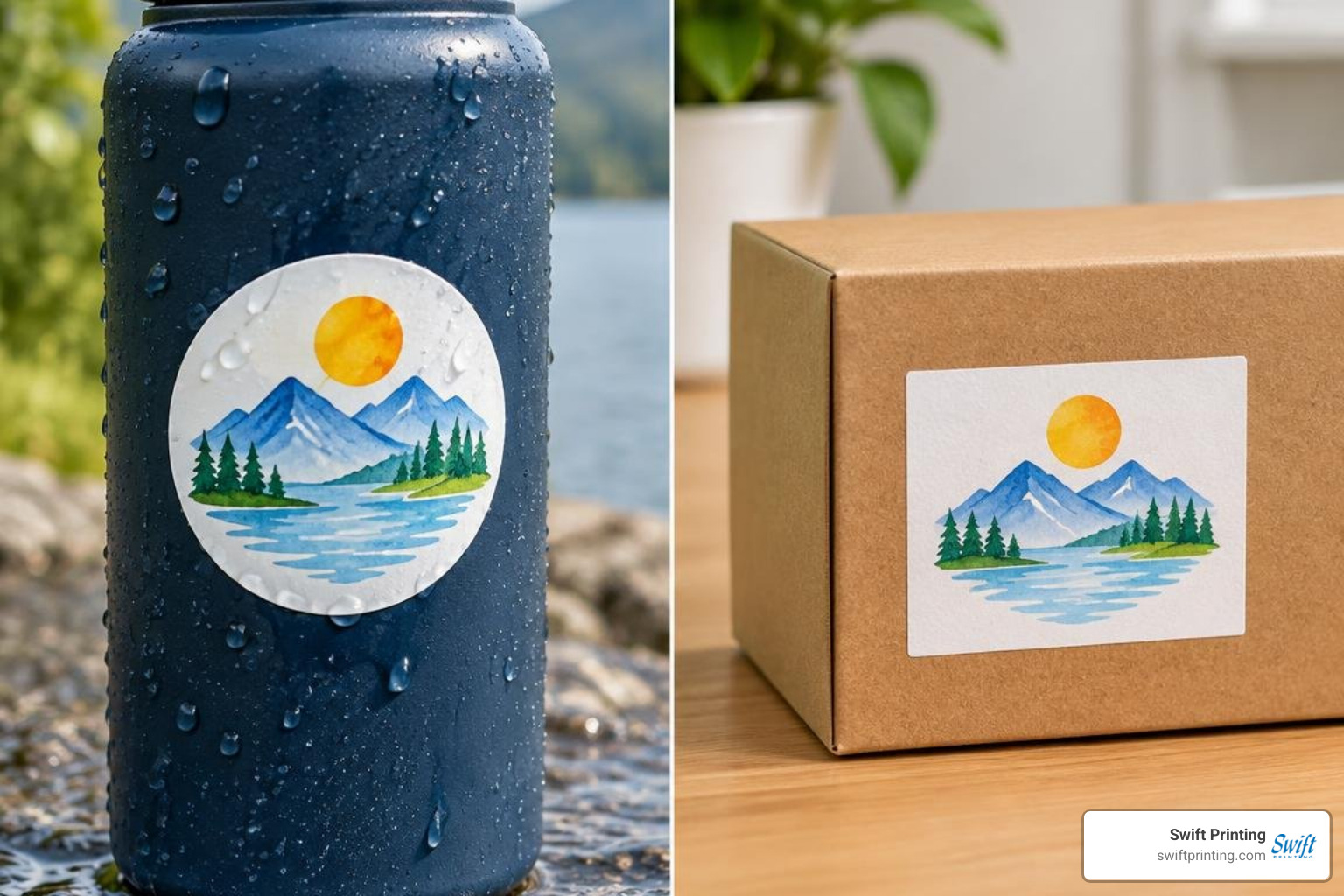
Durable QR code stickers bridge physical collateral and digital destinations by combining resilient substrates with high-contrast, precisely formatted barcode designs. To ensure immediate scannability and lasting performance, successful decals rely on weather-resistant materials like premium vinyl or BOPP film, protective matte or gloss overlaminates, at least a 4:1 contrast ratio, an unobstructed four-module quiet zone, and minimum dimensions of 2cm × 2cm for close-range scanning. Selecting dynamic QR architecture further ensures ongoing utility by allowing real-time destination updates without reprinting physical decals.
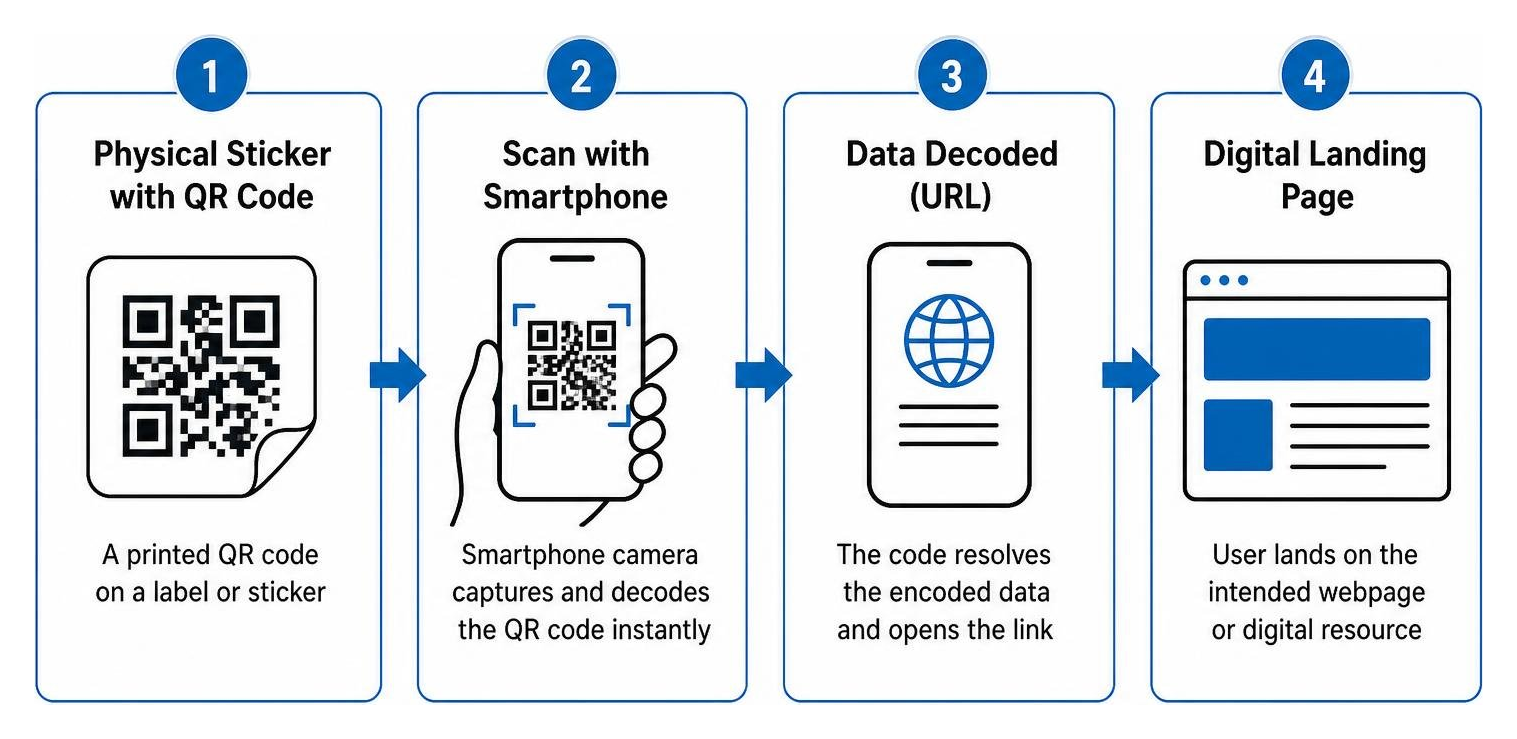
A Quick Response (QR) code is a two-dimensional matrix barcode created under the ISO 18004 standard. Unlike traditional linear barcodes that store limited data along a single horizontal axis, a QR code stores data both horizontally and vertically. This grid structure allows a smartphone camera to capture and decode vast amounts of alphanumeric information instantly—whether directing a user to a secure client intake portal, loading an educational document, or launching a digital business card.
In corporate environments, medical facilities, and legal practices across West Michigan, these printed graphics act as a physical-to-digital bridge. Incorporating modern barcodes into your collateral streamlines operations by offering fast, touch-free access to high-value digital resources. Rather than asking a client to manually type a complicated web link or search for a specific document, a quick scan routes them precisely where they need to go. By thoughtfully integrating QR codes into print marketing pieces, organizations turn static paperwork, physical packaging, and client-facing displays into interactive touchpoints.
Static vs. Dynamic QR Code Stickers
When producing adhesive codes, selecting the right underlying architecture is critical to ensure your investment remains functional over time.
- Static QR Codes: The destination data (such as a direct URL, text string, or Wi-Fi password) is directly hardcoded into the graphic pattern. Because the pattern itself represents the raw data, static codes never expire and function independently of any hosting server. However, the destination link can never be altered once printed. Furthermore, dense information yields a tight, complex pixel grid that demands more printing area to scan reliably.
- Dynamic QR Codes: The graphic encodes a compact short link that directs through a redirection server before routing the user to the ultimate target page. Because the displayed pattern encodes only a short link, the visual grid remains clean, open, and easy for smartphone cameras to read. Crucially, dynamic architecture allows you to change the final destination URL at any point without replacing the physical decals.
| Feature | Static QR Stickers | Dynamic QR Stickers |
|---|---|---|
| URL Editability | Permanent (Cannot be changed after print) | Real-time destination updates via dashboard |
| Visual Complexity | Increases with data length | Remains simple, compact, and scannable |
| Scan Analytics | Not available | Real-time scan counts, location, and timing data |
| Best Used For | Permanent Wi-Fi logins, fixed contact cards | Marketing campaigns, client intake, policy portals |
Real-World Business and Professional Use Cases
In professional settings, adhesive codes eliminate administrative friction while maintaining an organized, polished presentation:
- Legal Practices & Consultancies: Law firms and corporate advisors apply branded decals to presentation folders, retainer packets, and corporate binders to guide clients directly to encrypted document portals or secure intake forms.
- Healthcare & Medical Offices: Clinics place laminated decals in exam rooms and check-in areas, enabling patients to access privacy notices, complete pre-appointment questionnaires, or view post-procedure care guides on their personal devices.
- Asset Management & Equipment Maintenance: Municipalities and corporate facilities apply durable barcodes directly to IT hardware, office assets, and fleet equipment to log service records or pull up operational schematics instantly.
- Corporate Events & Networking: Decals placed on conference materials, name badges, and event signs provide frictionless check-in and instantaneous schedule access. You can even create dedicated QR code business cards or apply mini-decals to premium collateral to share comprehensive vCard contact profiles in a single tap. For a broader look at how this technology works, the QR code entry provides useful background on the underlying encoding standards.
Selecting the Right Materials and Finishes for QR Code Stickers
A scannable code is only as effective as the material on which it is printed. Choosing the appropriate substrate and overlaminate ensures your labels withstand environmental exposure, heavy cleaning regimens, and everyday handling without peeling, fading, or losing optical legibility.
Investing in high-grade custom labels and branded stickers protects your company's image by preventing adhesive failure and edge curling.
Waterproof Vinyl vs. Indoor Paper Stocks
- Premium Cast & Calendered Vinyl: High-performance vinyl paired with UV-cured inks provides the gold standard for exterior durability. These substrates flex naturally over contoured surfaces, resist chemical abrasion, and provide an exterior lifespan of 3 to 5 years under direct sun, rain, and snow.
- Biaxially-Oriented Polypropylene (BOPP): A synthetic film that delivers exceptional moisture, oil, and chemical resistance. BOPP is an ideal choice for medical clinics, laboratories, and premium product packaging requiring frequent surface sanitization.
- Uncoated and Gloss Paper Stocks: Paper labels deliver crisp dot reproduction and rich color saturation for indoor applications. While paper stocks offer an economical service life of 6 to 12 months in climate-controlled environments, they are vulnerable to tearing, moisture damage, and friction if used outdoors.
| Substrate | Typical Lifespan | Moisture Resistance | Ideal Environment |
|---|---|---|---|
| Premium Vinyl | 3–5 Years | 100% Waterproof & UV-Resistant | Outdoor signage, equipment labels, vehicles |
| BOPP Synthetic | 2–4 Years | Oil, Chemical & Water Resistant | Medical clinics, cosmetic products, sanitizer bottles |
| Standard Paper | 6–12 Months | Low (Absorbs moisture) | Presentation folders, client envelopes, indoor inserts |
Matte vs. Gloss Lamination for Camera Readability
Finishes play a decisive role in optical performance. Smartphone camera sensors interpret visual data through contrast. Under bright overhead fluorescent office fixtures, direct sunlight, or industrial lighting, a high-gloss finish can create severe specular reflection (glare). This reflective hot spot obscures portions of the barcode modules, preventing the optical sensor from reading the grid.
A satin or matte lamination diffuses direct light across the surface, eliminating glare hot spots and enabling instant camera recognition from wide angles. When maximum outdoor UV protection or scratch resistance is paramount, gloss laminates can still be utilized—provided the label is sized adequately to let the camera adjust its focal exposure.
How to Design, Size, and Test for Scannability
Precise graphic construction ensures your labels scan effortlessly across every operating system and camera lens.
Contrast Ratios, Quiet Zones, and Minimum Sizing
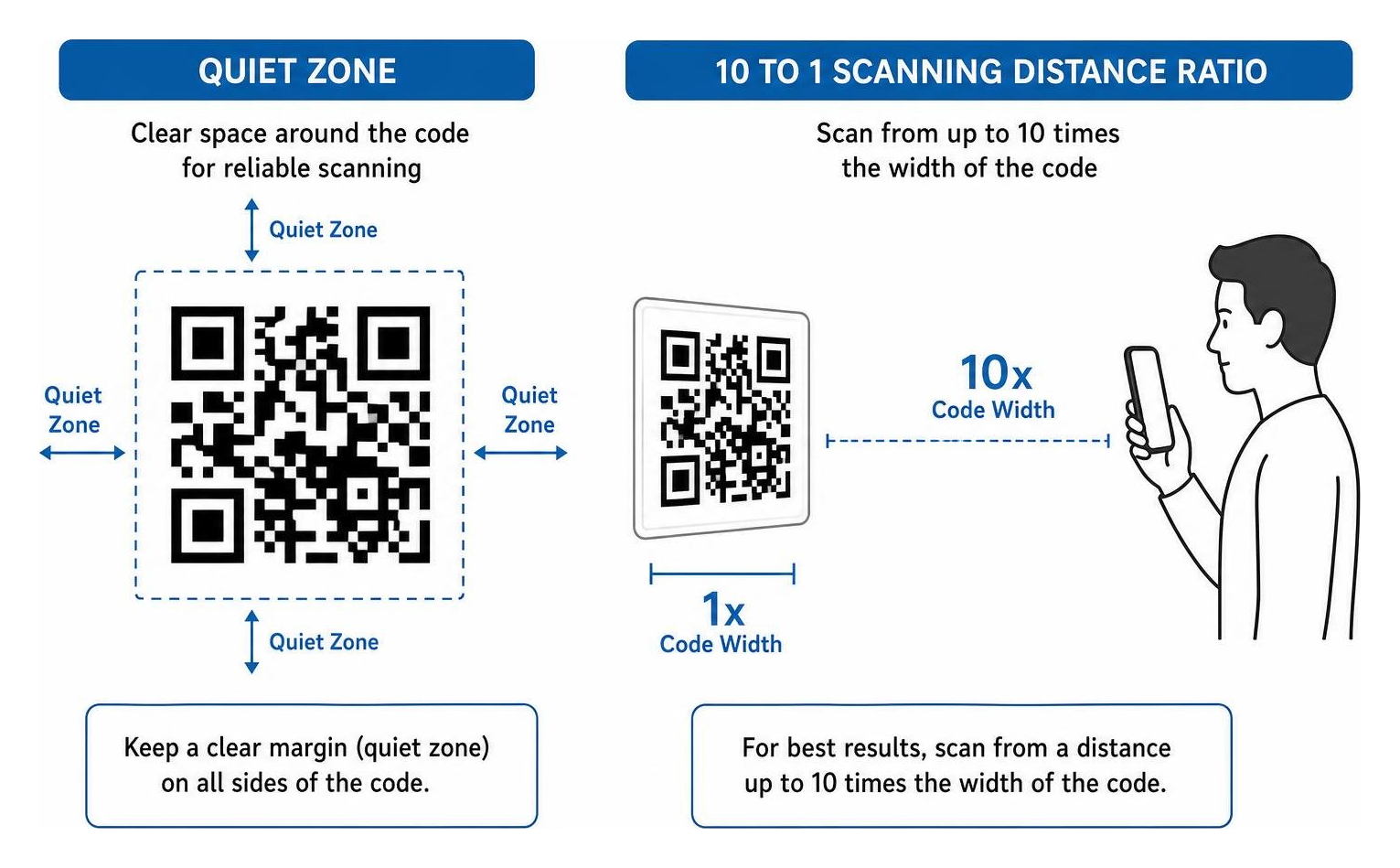
To guarantee immediate recognition by native camera applications, every design must adhere to three foundational optical rules:
- Maintain High Contrast (4:1 Minimum): The code modules must remain significantly darker than the underlying background. While classic black-on-white provides optimum legibility, dark navy, deep charcoal, or rich forest green on a bright white or pale cream background will also perform reliably. Never invert the pattern (placing light modules on a dark background), as many legacy camera decoders struggle to interpret negative grids.
- Preserve the Quiet Zone: A QR code requires an unobstructed border surrounding its entire perimeter, known as the "quiet zone." This margin must be at least 4 modules wide (the width of four individual data squares). Crowding the barcode with typography, borders, or background illustrations disrupts edge detection.
- Adhere to Physical Size Thresholds: The minimum recommended size for any printed code scanned at close range (such as arm's length, or roughly 12 to 18 inches) is 2cm × 2cm (approximately 0.8" × 0.8"). For exterior signage or vehicle glass where users scan from several feet away, scale the physical size using a 10:1 ratio—meaning a viewing distance of 40 inches requires a minimum code width of 4 inches (10cm).
Adding Logos, Custom Colors, and Clear Action Prompts
Modern design tools allow you to incorporate your corporate insignia and brand palette directly into the matrix. QR technology incorporates Reed-Solomon error correction, which embeds redundant data within the visual pattern. Setting the error correction to Level H (High) allows the barcode to tolerate up to 30% surface damage, obstruction, or logo overlay without losing scannability.
When embedding a corporate logo, center it within the pattern and ensure it does not cover any of the three large position-detection squares located at the corners. Always pair the visual code with an actionable call-to-action (CTA) that explains the scan benefit:
- "Scan to Access Client Portal"
- "Scan to Download Appointment Preparation Guide"
- "Scan to Review Case Portfolio & Credentials"
- "Scan to Connect to Secure Guest Wi-Fi"
Production Options and File Preparation
Achieving sharp dot reproduction, clean vector geometry, and precise die-cutting requires proper file setup before submitting your project for commercial printing.

Whether you are ordering custom die-cut singles or kiss-cut sheets, reviewing our comprehensive commercial print products and consulting our commercial QR sticker printing guide will help you select the exact production configuration for your organization's timeline and durability needs.
Where to Print Professional QR Code Stickers
While desktop inkjet and office laser printers can produce short-run internal labels, they present distinct operational drawbacks for client-facing materials:
- Desktop Office Printers: Inks are typically water-soluble, resulting in smearing when handled or exposed to humidity. Edge resolution often lacks the sub-millimeter precision needed for dense 2D matrix grids.
- Commercial Digital Presses: Industrial presses deposit UV-cured or high-density toner formulations onto heavy-duty commercial vinyl and specialty films. Automated contour cutters produce smooth, snag-free edges, while high-capacity sheet setups ensure precise registration across thousands of kiss-cut pieces.
File Formats and Resolution Requirements
To guarantee crisp production, submit your artwork according to standard pre-press specifications:
- Vector Formats (SVG, EPS, PDF): Vector files render lines through mathematical coordinates rather than fixed pixel grids, allowing your code to be enlarged to any dimension without edge degradation or blurriness.
- Raster Formats (PNG, TIFF): If supplying raster graphics, ensure the asset is rendered at a minimum resolution of 300 to 600 DPI at 100% final output size.
- Bleed Margins and Cut Contours: If your label design features background color extending to the physical edge, provide a 0.125-inch (1/8") bleed margin beyond the trim line. Include a dedicated vector path on a separate layer titled "CutContour" to define the exact shape of your kiss-cut or die-cut decal.
Frequently Asked Questions
What is the minimum recommended size for a printed QR code?
For standard handheld reading at arm's length (approximately 12 to 18 inches away), the printed matrix should measure at least 2cm × 2cm (0.8" × 0.8"). If your code encodes dense data—such as a comprehensive vCard contact profile—or if the sticker will be affixed to a curved surface like a bottle or prescription container, increase the physical footprint to 1.25" × 1.25" (3.2cm × 3.2cm) or larger to preserve clear module spacing.
Can destination URLs be changed after stickers are printed?
Yes, provided the artwork was generated as a dynamic QR code. Dynamic systems route the scanner through a centralized redirection bridge, allowing you to update the destination URL at any point via an online management portal without replacing the physical decals. If your graphic was generated as a static code, the link is physically baked into the printed dots and cannot be altered.
What makes a QR code sticker weatherproof for outdoor use?
A truly weatherproof decal relies on three synchronized production elements:
- Durable Synthetic Substrate: Premium white vinyl or polymeric film that does not absorb moisture, crack in freezing temperatures, or shrink under summer heat.
- UV-Resistant Inks: High-density, fade-resistant UV-cured or latex inks that maintain high color contrast under direct sun exposure.
- Protective Clear Overlaminate: A heavy-duty transparent film (matte or gloss) applied over the printed surface to guard against UV rays, physical scuffs, industrial cleaning solvents, and rain.
Conclusion
High-performance physical labels provide an effortless, elegant way to link your physical collateral directly to your organization's digital resources. By maintaining strict contrast ratios, safeguarding a generous quiet zone, selecting resilient materials, and testing proofs on actual surfaces, your team can deploy client-facing touchpoints with complete confidence.
At Swift Printing, our team takes pride in operating as a boutique commercial print partner dedicated to precision craftsmanship. Whether you are outfitting a regional medical practice with sanitizable room labels, streamlining municipal asset tags, or presenting corporate clients with polished marketing materials, we ensure every run meets rigorous visual and structural standards. If you need step-by-step assistance setting up your initial digital assets, explore our guide on how to make a QR code to prepare your files for flawless press production.