Why Modern Executives Choose Business Cards with QR Codes
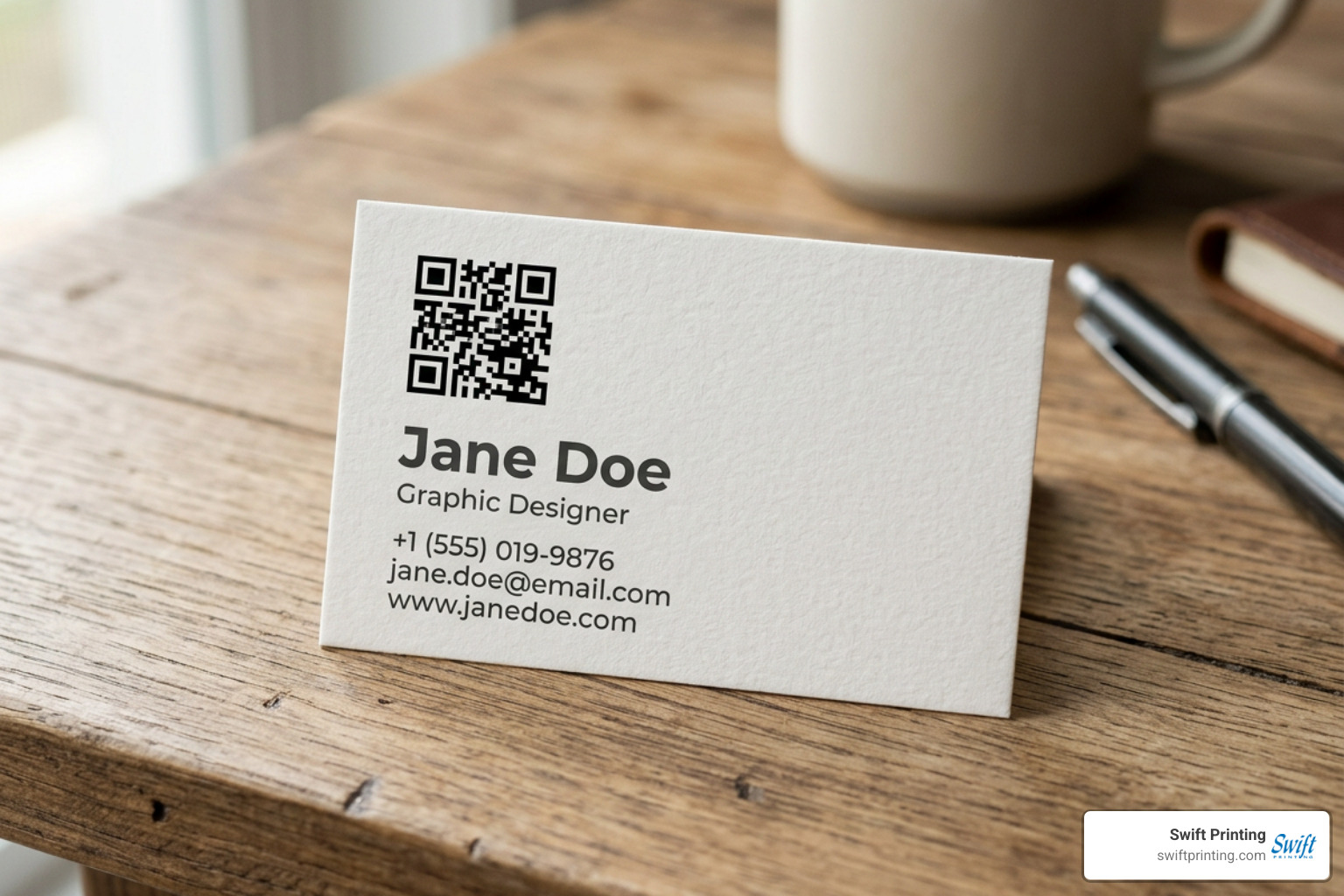
In the executive sphere, time is the ultimate currency. When you hand your card to a prospective corporate client, managing partner, or healthcare director, you have mere seconds to secure a permanent connection. Manual data entry is where warm leads go cold; someone tosses the card onto a desk, intends to type the email later, and the momentum evaporates. Understanding in a digital age why you still need business cards begins with recognizing that physical paper establishes human rapport, while an integrated digital pathway captures immediate intent.
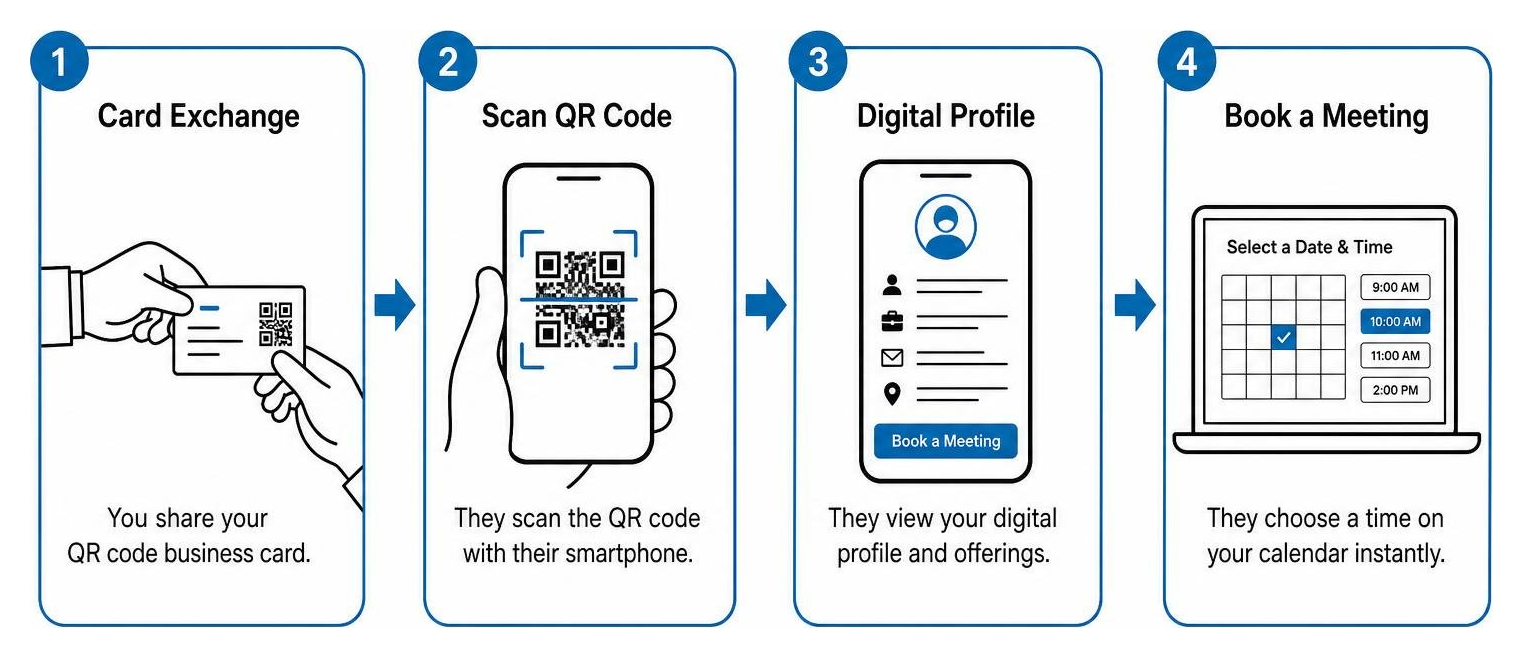
Adding an interactive code bridges physical presence and enterprise workflows. Sales representatives and business development executives frequently report that an interactive card converts 30% to 40% of scans directly into scheduled discovery sessions or consultation requests. When prospects can point their smartphone camera and immediately load a calendar, you eliminate three to four rounds of back-and-forth email scheduling before you even exit the lobby.
Beyond convenience, these tools deliver lead attribution and engagement clarity that traditional static printing never could. Executive teams can evaluate which trade conferences, summits, or executive networking luncheons deliver the highest return on investment. By pairing tactile sophistication with dynamic routing, your physical introduction becomes an active, measurable point of client acquisition.
Static vs. Dynamic QR Code Architecture
Choosing how your data is encoded represents the most important structural decision in your project. The differences between static and dynamic architectures dictate how your stationery behaves long after it leaves our presses.
A static code bakes your information directly into the black-and-white grid pattern. If you encode an entire contact card into a static matrix, the graphic becomes incredibly dense with microscopic pixels, making it difficult for smartphone lenses to read at standard business card dimensions. Furthermore, if your firm relocates suites, updates phone extensions, or rebrands its domain, every single printed card becomes instantly obsolete.
Dynamic architecture functions differently. Instead of storing complex data strings, the pattern holds a lightweight, short redirect URL. When an executive scans the card, the server instantly routes them to your designated endpoint. If you want to explore vector configurations before production, you can test a Free QR Code Business Card Generator - Print-Ready SVG to examine how dynamic routing creates a cleaner, less congested matrix. Because the destination lives on a secure server, you can modify your direct phone line, switch calendar tools, or reroute prospects from a completed marketing campaign to your primary services page without ever reprinting a single piece of cardstock.
High-Impact Destinations for Professional Services
To maintain an elite standard of communication, avoid sending high-value contacts to a generic homepage where they have to hunt for relevant information. Align your digital destination directly with your practice goals:
- Direct vCard Contact Profiles: Instantly populates the recipient's native address book with your full legal name, executive title, direct dial, encrypted email, office address, and professional headshot with a single tap.
- Executive Consultation Scheduling: Routes qualified corporate prospects straight to your private booking calendar (such as Calendly or Microsoft Bookings) to reserve a consultation on the spot.
- Confidential Pitch Decks and Whitepapers: Directs institutional investors, municipal partners, or enterprise clients to password-protected client portals or briefing papers.
- Practice Group and Attorney Bios: Provides immediate access to specialized case studies, representative matters, verified medical credentials, or board certifications.
- Multi-Link Executive Landing Hubs: Connects scanners to a curated, high-end profile showcasing your published thought leadership, firm overview, and verified LinkedIn profile.
Technical Specifications and Design Best Practices
A pristine design is worthless if the physical asset fails in the field. Integrating scannable elements into luxury stationery demands strict adherence to geometric clearance, contrast mathematics, and prepress standards. Achieving true balance requires behind the print crafting the perfect business card mechanics—ensuring that the ink, substrate, and digital matrix operate in absolute harmony.
Designing Premium Business Cards with QR Codes for Professional Services
For law practices, wealth management advisories, and management consultancies, visual discretion is paramount. A massive, unstructured barcode stamped on the front of a card cheapens an otherwise refined identity.
To maintain prestige, place the scannable code on the reverse face of the card. This layout keeps the front dedicated to timeless executive aesthetics—engraved logos, foil accents, bespoke typography, and generous negative space. On the reverse side, position the code with intention, such as bottom-right alignment or balanced center placement. Pair it with a tasteful, branded frame featuring a brief prompt like "Scan to save contact" or "Schedule consultation." Adding this simple instructional label increases scan completion rates by 20% to 30%, giving the recipient an immediate reason to interact. When curating creative business cards for leadership teams, the objective is effortless sophistication: modern utility paired with uncompromising restraint.
Sizing, Quiet Zones, and Vector Print Formats
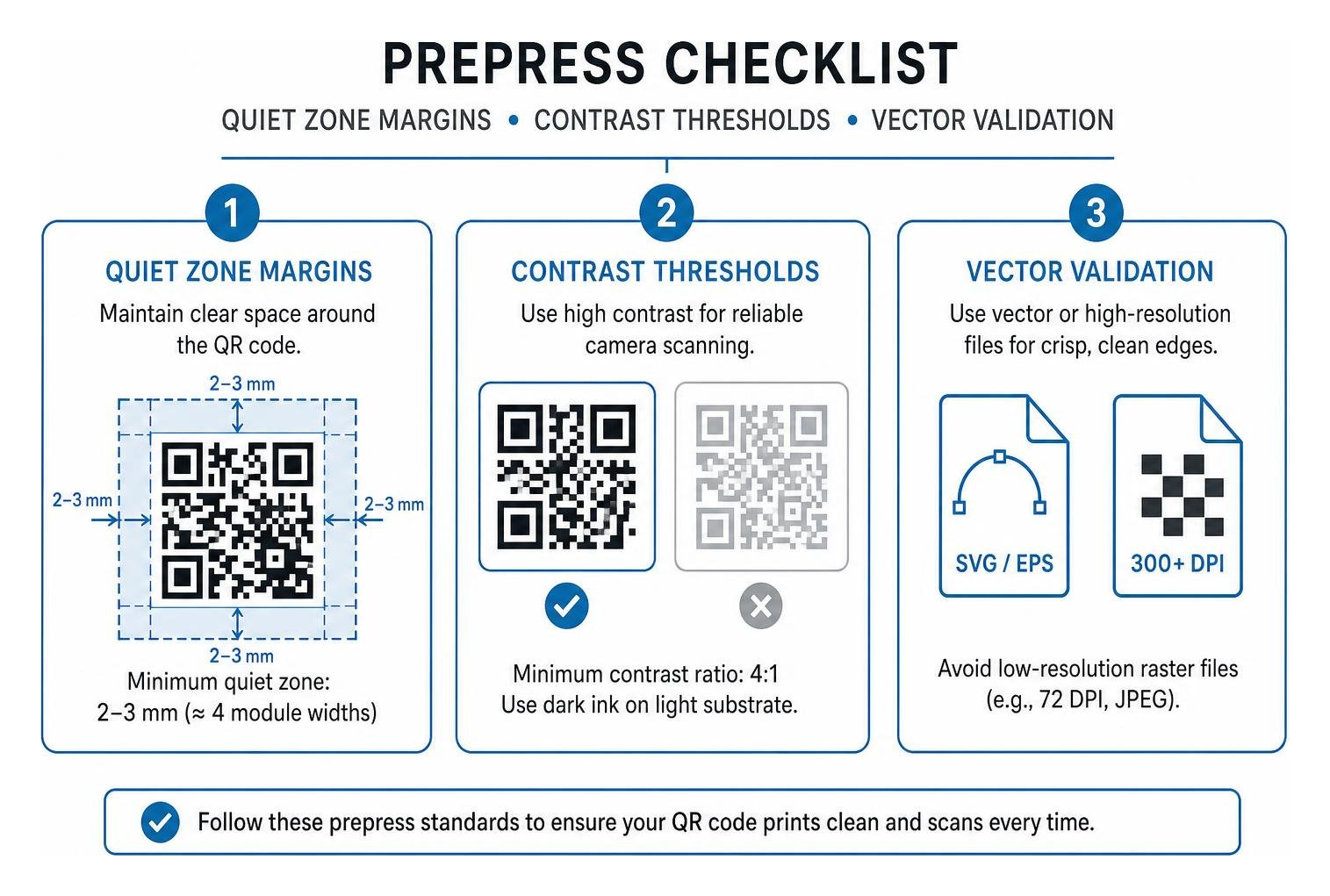
Precision manufacturing prevents scanning failures. When preparing your production artwork, adhere strictly to these engineering parameters:
- Dimensional Minimums: For simple dynamic URLs, never produce the code smaller than 0.7 x 0.7 inches (18 x 18 mm). If encoding complex vCard data directly via static methods, increase the footprint to at least 1.0 x 1.0 inch (25 x 25 mm). Absolute baseline scannability on standard cameras requires an unconditional minimum of 15 x 15 mm.
- The Quiet Zone: Every scannable matrix requires an unprinted, high-contrast margin around its perimeter known as the "quiet zone." This clear space must measure at least 2 mm to 3 mm (or approximately 4 module widths). Without this boundary, smartphone camera software cannot distinguish where your design elements end and the data matrix begins.
- Contrast Ratios: Cameras read luminance contrast, not color hues. Maintain at least a 4:1 contrast ratio by pairing dark ink against a light substrate. While brand-aligned navy, charcoal, or deep forest green can work on white or cream stock, avoid light gray ink on pastel papers or inverted white codes on pale backgrounds.
- Vector File Preparation: Never use low-resolution raster files (like 72 DPI screen captures or compressed JPEGs) for commercial print runs. Raster assets blur at the edges under magnification, causing optical read errors. Always export your code as a scalable vector graphic (SVG or EPS) or an uncompressed 300+ DPI file. You can generate clean vector formats through platforms like Business Card QR Code Generator: Make Scannable Cards in 30s | QRCodeStack before placing them into your vector design layouts.
Comparing Modern Business Card Formats
As organizations modernize their corporate collateral, executive teams frequently weigh interactive printed cards against near-field communication (NFC) plastic cards and standalone mobile software subscriptions.
| Networking Medium | Scan & Read Reliability | Friction / App Requirements | Initial Setup Cost (USD) | Ongoing Subscription Fees | Executive & Tactile Feel |
|---|---|---|---|---|---|
| Luxury Cardstock + QR Code | Universal (Reads across all iOS & Android cameras natively) | Zero friction (No apps, accounts, or tap adjustments needed) | Modest print production run ($0.40 – $1.20 per card) | $0 (or optional minor dynamic dashboard host) | Exceptional (Rich cotton, duplex boards, foil, letterpress) |
| NFC Tap Cards (Plastic/Metal) | Inconsistent (Fails through thick phone cases or misaligned coils) | Moderate (Requires specific phone angles; occasional NFC lockouts) | High hardware cost ($30.00 – $80.00+ per individual card) | Frequently tethered to $6.00 – $10.00/month platform fees | Mixed (Feels like a credit card; lacks traditional paper prestige) |
| Standalone Mobile App Profiles | Low physical presence (Must display phone screen to phone camera) | High (Recipient must awkwardly scan your device screen) | Free initial download | $72.00 – $120.00/year per executive user license | None (No physical keepsake or tactile permanence left behind) |
While NFC cards offer novelty, they introduce mechanical hurdles. Thick protective phone cases frequently block radio signals, older devices lack active background scanning, and handing someone a reusable plastic card to "tap and return" lacks the gracious etiquette of presenting an enduring piece of executive stationery. Premium paper enhanced with an integrated code delivers universal compatibility with zero recipient friction.
How to Print Business Cards with QR Codes on Luxury Cardstocks
Executing interactive graphics on artisanal substrates requires specialized prepress calibration. Standard desktop setups or discount online ganging services frequently produce ink bleed, which spreads dark pigments across microscopic module gaps, rendering the code unreadable.
When specifying tactile embellishments, keep functional elements distinct from decorative textures. For instance, blind debossing, foil stamping, or heavy spot UV gloss should remain on your primary typography and brand marks rather than directly across the scanning modules. If you are exploring multi-layered boards or sculptural finishes, consult our 3d business cards ultimate guide to understand how dimension and depth interact with optical scanning zones.
Calculating your production volume requires matching executive team turnover with seasonal networking schedules. Reviewing how many business cards to order near me will help you establish volume tiers that balance bulk printing efficiencies against anticipated personnel or title updates.
Frequently Asked Questions About Business Card QR Codes
Will my QR code stop working if my contact details change?
If your card utilizes a dynamic QR code architecture, the printed code will never stop working. You can log into your dynamic management portal at any time to modify your direct phone number, change your email address, update your firm's domain, or redirect the destination URL entirely. The printed geometry remains identical while the server-side routing instantly updates. Only static codes—which hardcode data strings permanently into the ink pattern—become non-functional when underlying details change.
Are QR code business cards safe for corporate and legal compliance?
Yes, provided you manage your code generation and hosting under corporate data governance standards. The FBI warnings regarding "quishing" (QR-code phishing) apply exclusively to unverified, malicious adhesive stickers placed over public municipal signage or parking meters. When a professional personally presents an executive business card, it serves as a verified, high-trust interaction. A standard vCard file simply delivers unexecutable contact text directly to the native phone operating system, creating zero vulnerability to device exploitation or malicious script execution.
What is the ideal placement on a standard US business card?
On a standard 3.5 x 2.0 inch US executive card, the ideal placement is centered or right-aligned on the reverse face. This placement preserves the front of the card for distinguished brand marks, executive credentials, and clean layout geometry. Keep the code positioned at least 0.25 inches away from the trimmed edges to ensure that standard manufacturing cutting tolerances never encroach upon the required 2 mm quiet zone.
Conclusion

A business card remains one of the most personal, tactile expressions of your organization's credibility. By combining master-crafted paper stocks with precision-engineered digital connectivity, you equip your leadership team with a tool that commands respect during an introduction and accelerates meaningful business relationships long after the handshake.
Swift Printing is a high end print shop in Grand Rapids, Michigan. We combine time-honored commercial printing craftsmanship with rigorous technical standards. As one of only two commercial printing companies worldwide certified as a B Corporation, we balance uncompromising print perfection with verified environmental sustainability, community stewardship, and human-centered business ethics. Whether you are outfitting a regional medical practice, a municipal agency, or a national legal consultancy, our team delivers exquisite printed stationery tailored to your exacting standards.
If you are ready to elevate your firm's collateral with premium business cards in west michigan, we welcome the opportunity to collaborate. Discover more about our technical print capabilities and learn about qr codes and why you should use them in your printing and marketing pieces by consulting with our prepress specialists today.