Beyond Flat: Creative 3D Business and Visiting Card Design Ideas
Why 3D Business Cards Are Changing the Way Professionals Make First Impressions
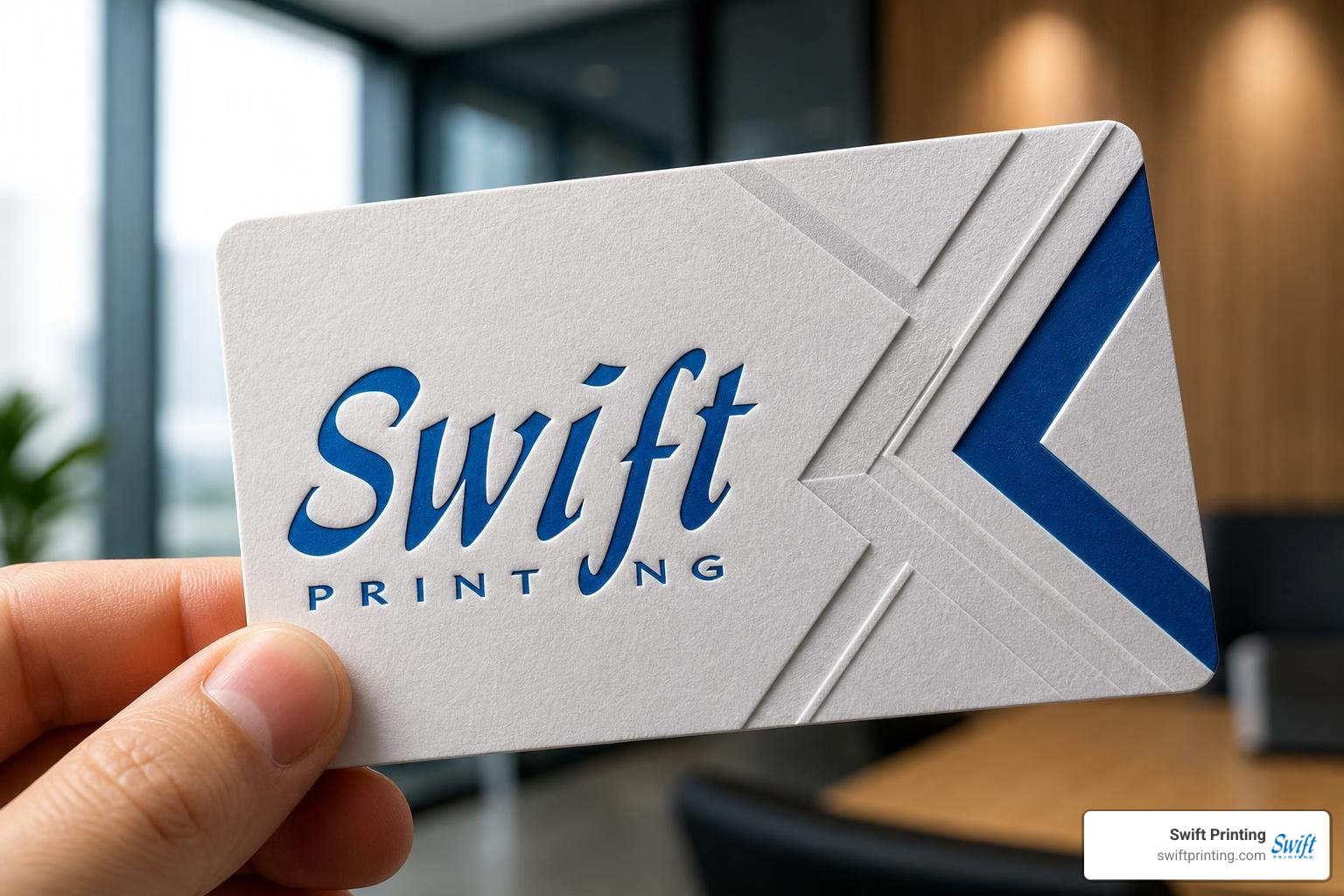
3D business cards are physical or digital networking cards that go beyond flat print — using techniques like lenticular lenses, additive (3D) printing, and augmented reality to create depth, texture, and interactive experiences.
Here is a quick overview of the main types:
| Type | How It Works | Best For |
|---|---|---|
| Lenticular | Optical lens creates depth illusion from a flat card | Bold visual impact, no tech required |
| 3D Printed | Filament or resin builds a raised, tactile card | Unique texture, DIY customization |
| Augmented Reality (AR) | QR code launches a 3D experience in a mobile browser | Tech-forward brands, interactive portfolios |
| Generative / Digital | Algorithm-driven patterns, rendered in a browser | Creative agencies, designers |
Think about the last business card you received. Chances are you forgot it within a day. Now imagine handing someone a card that pops out of a flat lens in 3D depth, or one they can hold physically with raised lettering they can feel with their fingertips — or even one that, when scanned, puts an animated version of you floating on their phone screen.
That is what modern 3D business cards make possible. And in a world where attention is the scarcest resource at any networking event, standing out in someone's hand matters just as much as standing out online.
This guide walks you through every method, tool, and production workflow available in 2026 — so you can choose the right approach for your brand, your budget, and your audience.
I'm Jessica Gutowski-Slaydon, president of Swift Printing, and after years of helping local businesses and nonprofits across West Michigan produce print materials that genuinely connect with people, I've seen how a well-crafted 3D business card can turn a quick handshake into a lasting impression. Let's dig into what's possible.
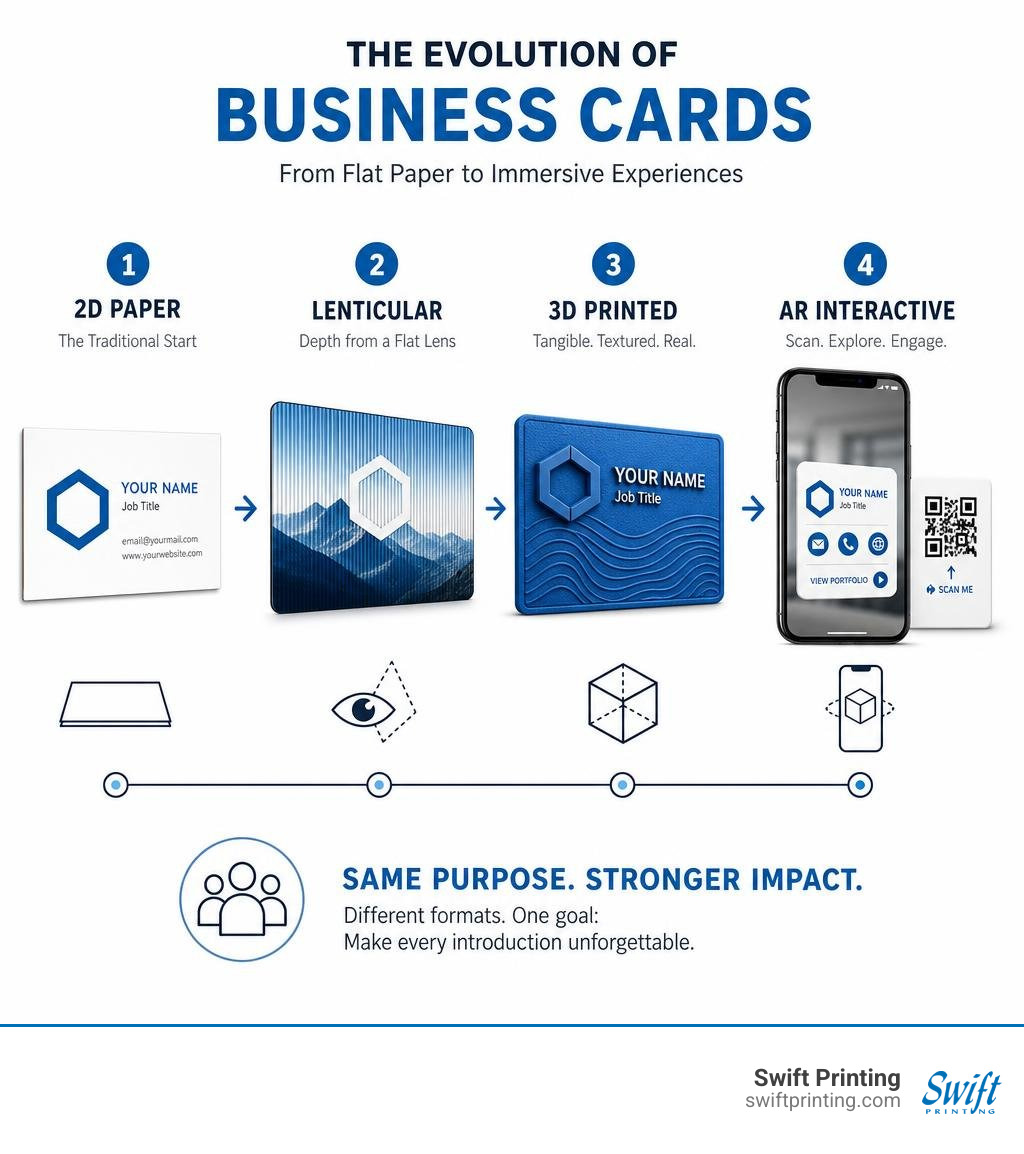
Production Methods and Types of 3D Business Cards
When we talk about dimensional business cards, we are usually looking at three core production methodologies: optical depth (lenticular), additive manufacturing (3D printing), and augmented reality overlays (WebAR). Each technique creates dimensional depth through entirely different physical or visual mechanisms.
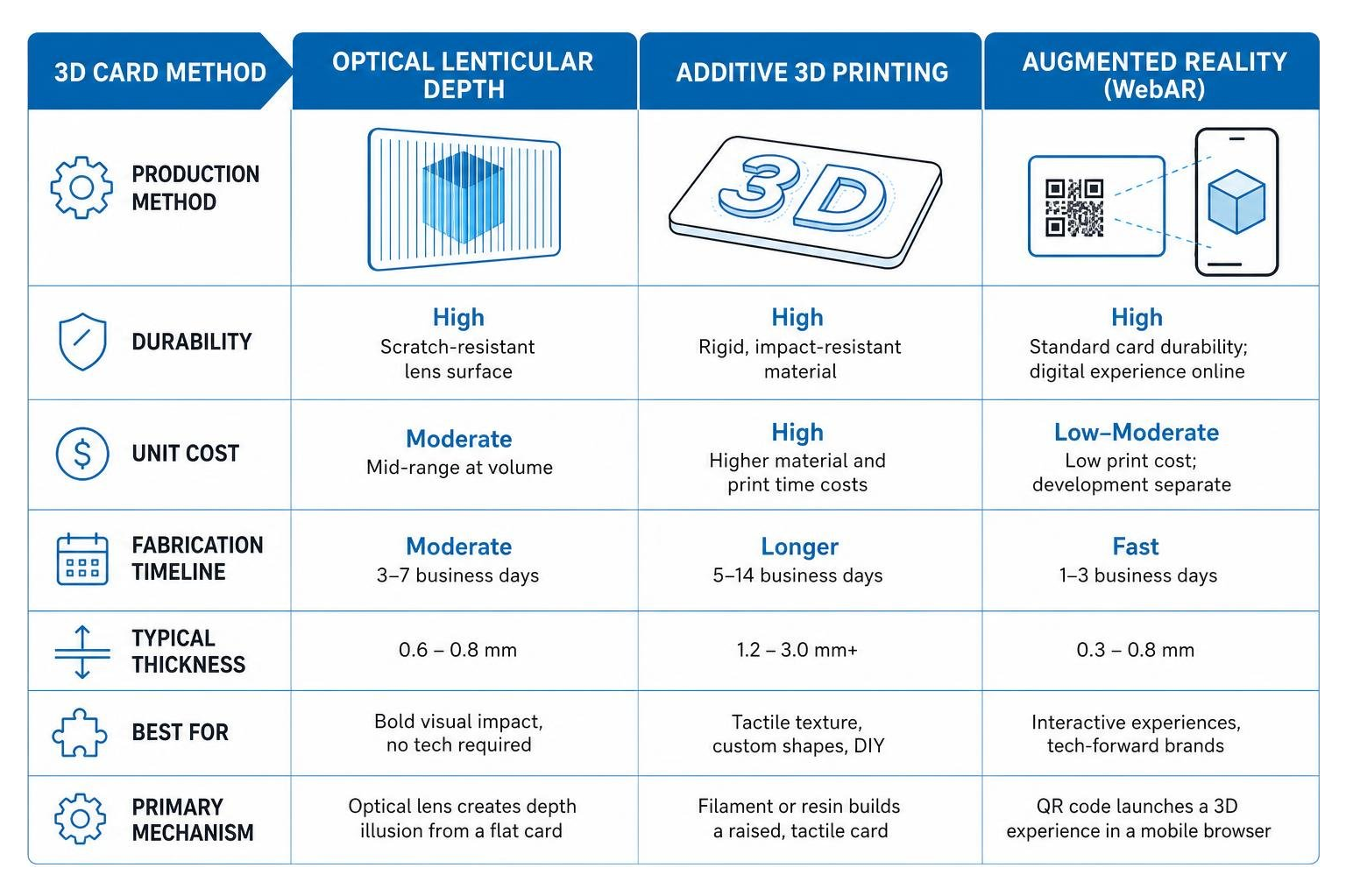
To choose the right path for your networking goals, it helps to compare these technologies side by side on speed, durability, thickness, and unit cost:
| Feature / Method | Optical Lenticular Depth | Additive 3D Printing | Augmented Reality (WebAR) |
|---|---|---|---|
| Primary Mechanism | PET lenticular lens sheet | FDM / Resin filament layers | Camera-triggered browser engine |
| Physical Thickness | ~0.6mm – 0.8mm | 1.0mm – 2.0mm | Standard paper card (0.3mm) |
| Fabrication Speed | Commercial batch press runs | ~45 minutes per card | Instant web loading |
| Durability | High (waterproof PET plastic) | Flexible (PLA) to flexible (mesh) | Depends on underlying card stock |
| Batch Pricing | From ~£100 per 100 cards | DIY machine & material costs | Digital host + standard printing |
| Technical Need | High-res layered artwork | 3D modeling / slicer setup | WebGL / 3D model capture |
Optical Depth and Multi-Layer Lenticular Lenses
Lenticular cards rely on micro-lenses made from extruded PET plastic to bend light as the viewing angle changes. By interlacing multiple static images behind a series of parallel linear lenses, your eye perceives true optical depth without requiring special glasses or battery power.
For standard European dimensions (85x55mm) or traditional US card sizing, commercial print runs typically utilize either a 40 LPI (Lines Per Inch) or 60 LPI PET lenticular lens. The 40 LPI lens offers deeper spatial parallax for structural relief, whereas a 60 LPI lens delivers finer detail for delicate logos and small typography.
To achieve maximum visual immersion, artwork files must be prepared at a high resolution of at least 300 dpi with a minimum 2mm bleed around all sides. Designers structure artwork into 3 to 5 separate parallax depth layers—placing background elements deep behind the focal plane while pushing key brand elements into the foreground. Commercial services like TwenT3's custom 3D business cards demonstrate how single photos or multi-layered graphic compositions can be interlaced to yield deep visual impact.
Physical Additive Manufacturing and Material Selection
Additive manufacturing physically builds a card layer by layer using thermoplastic materials. Desktop FDM (Fused Deposition Modeling) printers extrude materials like Polylactic Acid (PLA) to build rigid or semi-flexible physical cards with distinctly tactile, raised surfaces.
While pure PLA cards can feel thick in a standard wallet slot, printing on flexible substrates like mesh bridges structural integrity with comfortable pocket storage. Selecting lightweight materials ensures the cards won't snap under structural tension, while multi-material extruders allow you to assign distinct colors to background bases, body text, and branded logos.
Interactive WebAR Overlays and Hybrid Experiences
Augmented reality business cards turn physical print into a launchpad for digital media. A printed physical card acts as an anchor point—featuring a high-contrast QR trigger or visual tracking marker—which summons 3D models, contact cards, portfolio displays, or animated avatars directly into the viewer's immediate environment.
Because these hybrid cards leverage browser-based WebAR, the user doesn't need to download a standalone application. Scanning the printed card immediately connects physical tactile handoffs with dynamic web contact embedding.
Software and Design Tools for Custom Card Creation
Creating a 3D business card requires bridging traditional 2D graphic design with 3D workspace environments. Whether you want to model a physical shape or program a digital interaction, selecting the appropriate CAD or creative software is your first step. Understanding the right digital workflow ensures your cards make an impact, reinforcing why in a digital age, you still need physical business cards that push creative boundaries.
Beginner CAD Tools: Tinkercad and Shapr3D
If you are just dipping your toes into physical 3D card modeling, browser-based tools offer an accessible starting point:
- Tinkercad: A free, browser-based CAD tool that relies on intuitive geometric primitives. You can quickly block out card bases, punch out hole features, or emboss raised blocks. Its native text tool works well for basic typography, though custom font imports and complex vectors are limited.
- Shapr3D: Designed for tablet and desktop workflows with precise stylus or mouse control. It offers accurate geometric sketch controls, making it ideal for drafting rounded corner radii, filleted bevels, and clean multi-layered logo extrusions.
Advanced CAD and 3D Suites: Fusion 360 and Blender
When your card concepts demand complex typography, exact dimensional tolerances, or organic mesh sculpting, professional design suites provide full creative control:
- Fusion 360: Excellent for parametric mechanical design. You can modify contact details directly within timeline sketches, export geometric STEP or mesh files, and prepare distinct components for multi-material extruders. Open-source repositories like EthanThatOneKid's 3D business card project on GitHub illustrate how developers edit CAD geometry files directly to tailor custom contact cards.
- Blender: The industry standard for complex mesh sculpting, skeletal avatar rigging, and texturing. If your card design incorporates organic shapes, low-poly 3D avatars, or complex lighting simulations, Blender handles visual mesh preparation better than pure mechanical CAD suites.
Creative Coding for Generative 3D Business Cards
For creative agencies and digital studios, static graphics can be replaced with algorithmic generative design. Using JavaScript libraries like Three.js for WebGL graphics rendering alongside physics engines like ammo.js, creative coders build custom 3D browser tools that generate endless design variations.
Designers like Patrik Hübner demonstrate generative business card systems where dynamic code creates entirely unique physical card outputs. When these algorithmically generated visual patterns are printed onto premium cardstock with hot foil stamping, every single recipient receives a custom, unrepeatable visual piece of brand identity.
Fabrication Workflows and Print Settings
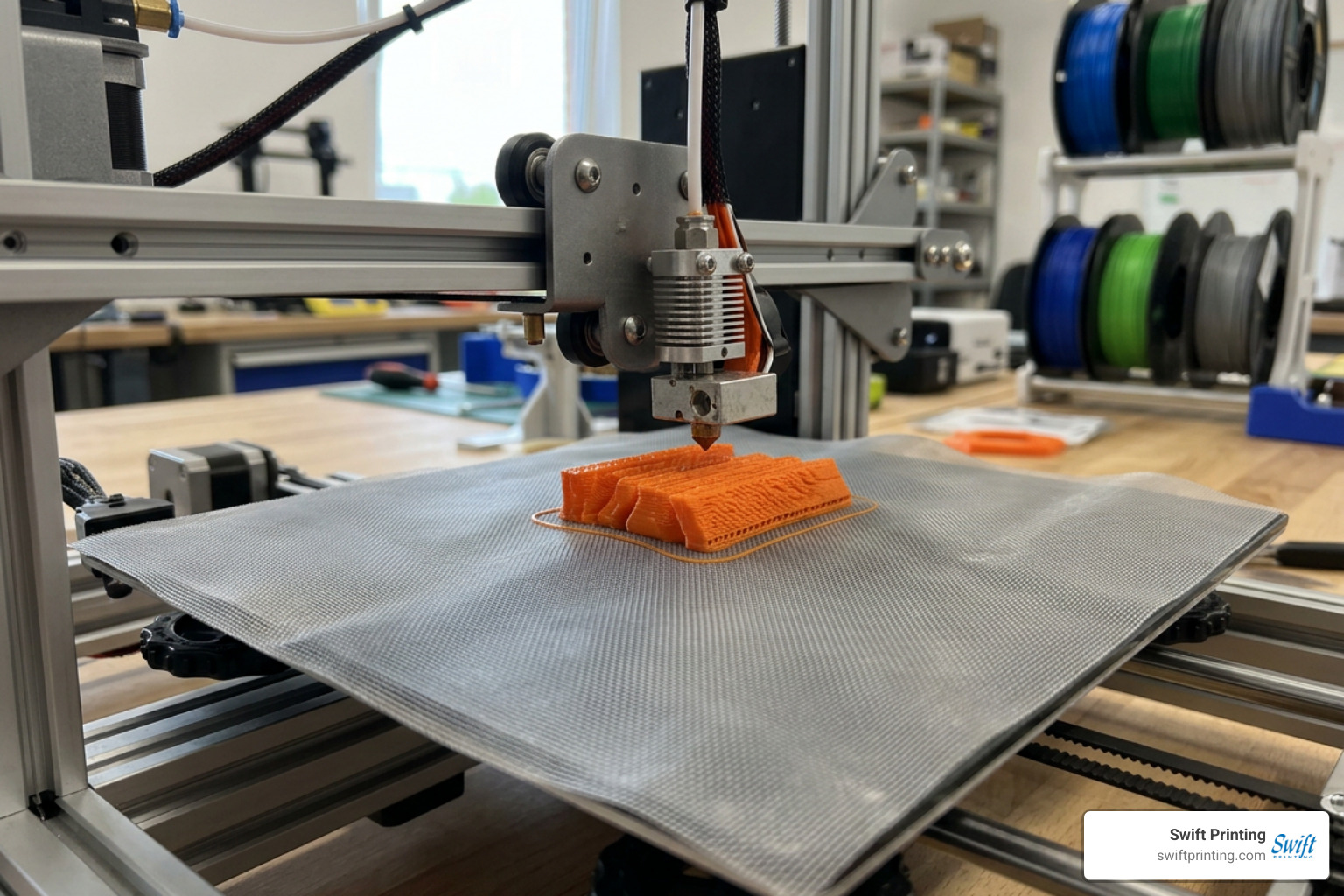
Fabricating a physical 3D printed business card requires careful fine-tuning of slicer software parameters. Unlike large structural parts, a business card is thin and relies on sharp perimeters for tiny text elements to remain legible. Preparing print files correctly avoids costly errors—much like avoiding the 10 most common print file mistakes in standard commercial printing.
How to Fabricate Custom 3D Business Cards on Fabric
Printing 3D plastic filament directly onto illusion mesh fabric creates a flexible, durable physical business card that bends without breaking in a wallet.
Here is the step-by-step fabrication sequence:
- Design Base File: Model your card in CAD, keeping base elements thin (0.4mm to 0.6mm thickness).
- Setup Bed Adhesion: Secure a piece of fine illusion mesh fabric tightly across your print bed using painter's tape or bed clips, ensuring high fabric tension.
- Insert Slicer Pause Command: In your slicing program (such as PrusaSlicer or Bambu Studio), insert a pause command (M600) at layer height 0.4mm.
- Print Initial Layers: Start the print directly onto the bare bed or mesh layer. When the printer pauses, lay the mesh smooth over the initial plastic layer if not pre-secured.
- Resume Extrusion: Resume printing so the upper plastic layers extrude directly through the fabric gaps, trapping the mesh securely between plastic strands.
- Trim Edges: Once cooled, remove the print and cleanly trim the excess fabric around the perimeter edges using fine shears.
Slicer Fine-Tuning for High-Detail Typography
To make small contact details clean and legible on an FDM 3D printer, refine these slicing parameters:
- Nozzle Selection: Swap out a standard 0.4mm nozzle for a 0.25mm or 0.2mm brass/hardened steel nozzle to drastically improve small text sharpness.
- Layer Height: Set your layer height between 0.08mm and 0.2mm for crisp vertical resolution.
- Print Speed: Slow down outer perimeter speeds to 15–20 mm/s to maximize detail retention on fine lettering.
- Perimeter Order: Enable the setting "External Perimeters First" inside your slicer to ensure perimeter walls solidify before internal infill lays down.
- Infill Density: Maintain a standard 15% to 20% infill density; the thin card profile relies mostly on top and bottom solid shell layers for rigidity.
- Multi-Material Assignment: When using multi-material setups (such as a Prusa MMU or Bambu Lab AMS), use the "split to parts" feature in your slicer to assign distinct colors to background bases and text layers.
Bridging Physical Print with Immersive Digital Overlays
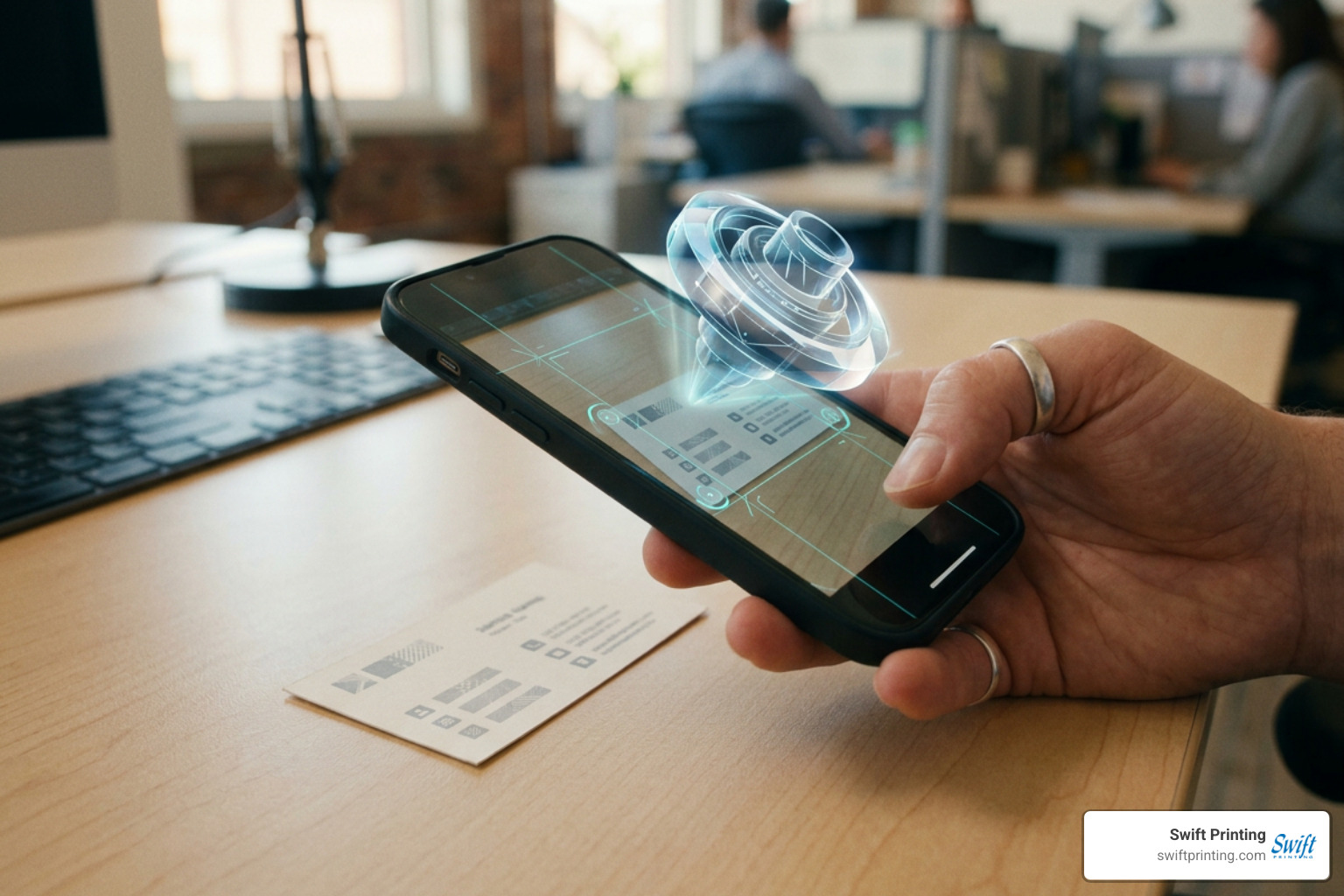
Combining tangible print with mobile WebAR turns physical networking into an interactive digital showcase. By embedding dynamic WebXR links into high-quality printed cards, you get the best of both worlds: a tactile physical touchpoint and an immersive digital presentation.
Mobile AR Workflows with Polycam and 8th Wall
You can build a WebAR business card experience in just a few days using widely available digital workflows:
- 3D Asset Capture: Scan a subject or physical object using photogrammetry mobile applications like Polycam to instantly create a 3D digital mesh.
- Mesh Cleanup & Rigging: Import the raw scan into Blender to clean up geometry topology, add material shaders, and build a full skeletal animation rig for interactive poses.
- WebAR Deployment: Upload optimized asset formats (.GLB or .USDZ) into WebAR platforms like 8th Wall or Three.js web engines.
- Physical Printing: Print a physical card featuring a clear QR trigger, leading directly to your web application URL.
Real-world deployments, such as FutureKind's interactive AR business card case study, show how rapid 3D avatar captures can be paired with 8th Wall to launch interactive brand displays on any smartphone screen—no app installation required. Projects like ExpoXR's WebAR business card showcases similarly demonstrate how browser-based WebXR technologies effortlessly bridge physical print and dynamic visual content.
Dynamic Web Canvas Effects for Digital Card Renders
When presenting 3D cards digitally on portfolio websites, interactive web canvas frameworks recreate realistic physical light interaction using key visual techniques:
- Key-Fill-Rim Lighting Systems: Combining dynamic main directional lights with warm fill lighting and strong backlight accents highlights geometric edges as the user rotates the card.
- Bump & Micro-Texture Mapping: Applying HTML canvas noise, micro-fiber textures, and subtle linen grain maps directly onto Three.js physical materials replicates the feel of real paper stock.
- Mouse Parallax & Spring Physics: Tying viewport pointer coordinates to card rotation angles through soft spring physics generates natural tilting responses as users move their mouse across the screen.
- Post-Processing Filters: Integrating bloom filters, subtle chromatic aberration along card edges, and vignette framing creates depth on standard flat screens.
Frequently Asked Questions About 3D Business Cards
How long does it take to 3D print a custom business card?
On average, printing a single multi-color 3D business card using standard desktop FDM equipment (such as a Prusa MK3S+ or Bambu Lab printer) takes approximately 45 minutes. This estimate assumes a standard standard layer resolution of 0.2mm, 15% infill density, and two filament color changes using standard PLA filament. Printing in batches across a large build plate can reduce per-card production times significantly.
What artwork specifications are required for lenticular 3D cards?
Lenticular depth printing requires high-resolution graphic assets prepared at 300 dpi minimum in CMYK color mode, accompanied by a 2mm artwork bleed along all outer edges. Designers should separate design elements into independent, layered files (PSD or AI) so print technicians can interlace the artwork across 40 LPI or 60 LPI PET lenticular lens sheets.
How do augmented reality business cards work without an app?
Modern AR business cards leverage WebAR (Web-based Augmented Reality) technology. Instead of forcing users to download a standalone mobile app from an app store, the physical card features a QR code that opens a URL directly inside mobile browsers (like Safari or Chrome). The webpage utilizes web graphics libraries like Three.js and WebXR standards to render 3D models (.GLB or .USDZ files) in real-time using the smartphone's camera feed.
Conclusion
Whether you choose the optical depth of lenticular printing, the tactile uniqueness of additive 3D manufacturing, or the interactive power of WebAR overlays, stepping beyond flat print is one of the most effective ways to make your personal brand unforgettable.
Creating a memorable business card isn't about chasing every tech trend—it's about crafting a physical or digital touchpoint that reflects your brand's quality, creativity, and attention to detail.
At Swift Printing, as one of only two Certified B Corporations in the commercial printing industry worldwide, we believe that exceptional print quality should go hand in hand with environmental responsibility and community impact. If you are ready to elevate your professional image with premium, custom-crafted cards, explore our dedicated solutions for business cards in West Michigan or reach out to our team today to bring your next visual print project to life!