How to Preview Your Mail with USPS Informed Delivery
To use the United States Postal Service's Informed Delivery, sign up for a USPS account, check whether your address is eligible, and verify your identity. Then turn on the Daily Digest to see available images of incoming letter-sized mail and updates on your packages. You can check them by email, online, or in the mobile app. A preview is not a promise that a letter will arrive that day.
I’m Jessica Gutowski-Slaydon, president of Swift Printing in Grand Rapids, where I help clients plan and send direct mail. That hands-on work helps me explain United States Postal Service Informed Delivery in plain language, from checking your own mail to understanding what recipients may see.
What Is United States Postal Service Informed Delivery and How Does It Work?
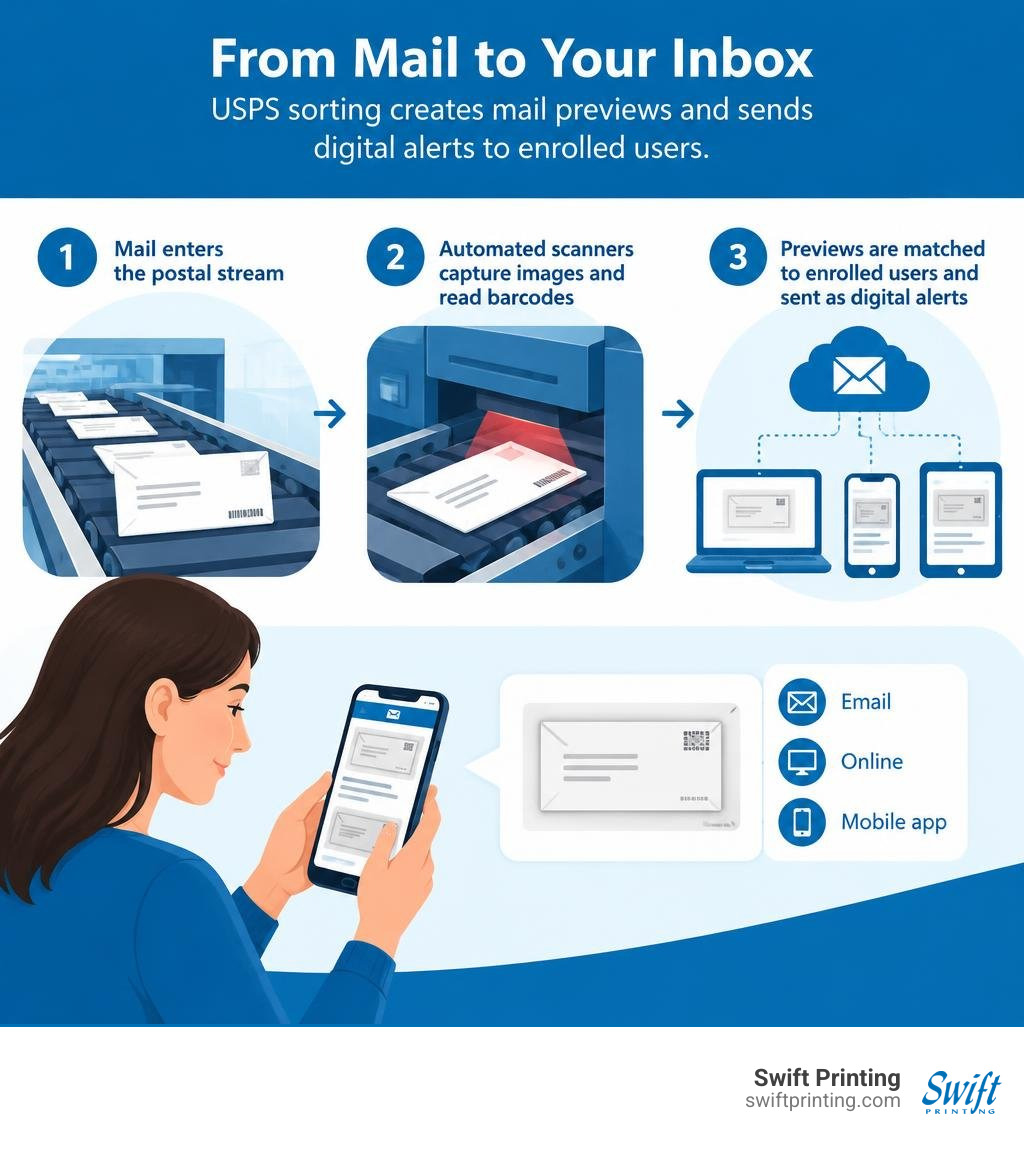
At its core, Informed Delivery - Mail & Package Notifications | USPS is a customer-facing feature that bridges the gap between physical mail and digital notifications. When letter mail enters the postal stream, it moves through automated sorting machines equipped with high-speed optical scanners. These machines capture a grayscale digital image of the exterior, address side of every letter-sized envelope to read barcodes and sort pieces to specific delivery points.
Instead of discarding those images after sorting, the postal network matches the delivery address to enrolled residential users. The system then compiles those previews into a daily notification delivered straight to your inbox, online portal, or smartphone.
Package tracking operates alongside this imaging system. While packages, parcels, and large flats like magazines do not receive exterior grayscale scans, their tracking barcodes are automatically paired with your account so you can monitor incoming shipments in real time.
| Feature Category | Letter Mail Previews | Package Tracking & Management |
|---|---|---|
| Image Provided | Grayscale scan of front/address side | None (status bar and tracking details only) |
| Eligible Formats | Letter-sized processed on automated sorters | Inbound and outbound barcoded parcels |
| Delivery Mechanism | Morning Daily Digest email, web, or mobile app | Real-time push alerts, SMS, web, or app |
| Interactive Content | Custom digital ads and clickable links | Tracking updates and delivery scheduling |
| Actionable Tools | Report unreceived mailpieces | Leave carrier instructions or e-sign |
Mail Delivery Notifications (MDN) vs. Daily Digest Emails
Many people confuse the morning Daily Digest with Mail Delivery Notifications (MDN). They serve two distinct functions in your daily workflow:
- Daily Digest Emails: Sent early in the morning, these messages show previews of what has been sorted and scheduled for delivery in the upcoming delivery cycle.
- Mail Delivery Notifications (MDN): As detailed in the Informed Delivery Mail Delivery Notifications FAQs, MDN is an optional real-time alert triggered when your carrier physically scans their route at your mailbox.
MDN uses carrier GPS location and handheld scanning data to send an email notification, typically arriving within 14 to 30 minutes after your carrier drops mail into your box. This feature provides a helpful confirmation that delivery has occurred, though it applies only to letter mail and is not available for P.O. Box addresses or military ZIP codes.
Informed Delivery Mobile App Features and Capabilities
For busy professionals managing high-touch correspondence, the dedicated mobile app simplifies mail tracking on the go. You can easily Download the Informed Delivery Mobile App for iOS and Android devices to access enhanced features beyond standard emails:
- Biometric Authentication: Secure your account using Face ID or fingerprint scanning to protect sensitive delivery previews.
- Integrated Barcode Scanner: Use your phone’s camera to instantly scan tracking numbers on outbound client packages.
- Custom Delivery Instructions: Leave specific notes for your postal carrier regarding safe parcel drop-off locations.
- Redelivery Scheduling: Arrange a convenient redelivery date if you were unavailable for a signature-required parcel.

How to Set Up and Secure Your Informed Delivery Account
Setting up your account takes only a few minutes, but it requires careful identity validation to protect household privacy. The service is available to residential addresses and individual P.O. Boxes in eligible ZIP codes with uniquely coded mailboxes.
If you are away from your office or home for an extended period, pairing digital previews with the USPS Hold Mail Service ensures your physical mail remains securely stored at your local postal branch while you continue monitoring incoming items online.
How to Sign Up for United States Postal Service Informed Delivery
To register, navigate to the official portal and complete these basic steps:
- Create an Account: Visit the USPS website and register with a valid email address and secure password.
- Verify Address Eligibility: Enter your residential street address. Knowing the proper format to write address on envelope helps ensure your address matches postal database records exactly, especially for multi-unit properties.
- Confirm Identity: Complete the online verification process using a mobile phone number registered in your name.
- Select Notification Preferences: Choose whether to receive the morning Daily Digest email, push notifications, or real-time MDN delivery alerts.
Account activation typically takes between three to seven business days before your first digital images appear.
Identity Verification and User Privacy Protection
Because mail previews contain sensitive sender information, the Postal Service enforces strict verification protocols under the federal Privacy Act. If your mobile phone number cannot be verified online, you have two secure alternative options:
- Mailed Invitation Code: Request a physical letter sent to your address containing a unique verification code.
- In-Person Verification: Generate an in-person barcode online and present it alongside government-issued identification at a participating postal station within 30 days.
Whenever a new account is registered to an address, a physical Welcome Letter is automatically delivered to the home. This alert ensures that homeowners and tenants are immediately notified if an unauthorized account is attempted at their address.
Troubleshooting Missing Scans and Delivery Delays
If you notice a discrepancy between your digital digest and the items in your physical mailbox, keep these factors in mind:
- Automated Processing Timelines: A digital scan indicates that an item passed through sorting equipment, but weather, transportation, or carrier routing can occasionally delay physical delivery by a couple of days.
- Non-Machinable Flats: Magazines, oversized catalogs, and rigid parcels bypass standard optical sorting machines and will not generate a grayscale scan.
- Email Display Settings: Ensure messages from
USPSInformeddelivery@email.informeddelivery.usps.comare added to your trusted contacts so digests are not diverted to spam folders. - Physical Hold Notices: If an item was held or requires a signature, your carrier may leave a physical post office hold mail card instead of the actual piece.
Business Applications and Direct Mail Integration
For professional practices, law firms, healthcare clinics, and government agencies, united states postal service informed delivery transforms ordinary direct mail into an interactive, multi-touch digital channel. Rather than relying solely on the physical mailbox, organizations can coordinate their physical mailings with digital assets to engage clients before they even step outside.
More than 74.8 million consumers have enrolled in the platform, opening their daily digest emails at an impressive average rate of 63.4%. Direct mail campaigns that incorporate interactive digital previews capture valuable attention across multiple touchpoints.
Leveraging United States Postal Service Informed Delivery for Direct Mail Campaigns
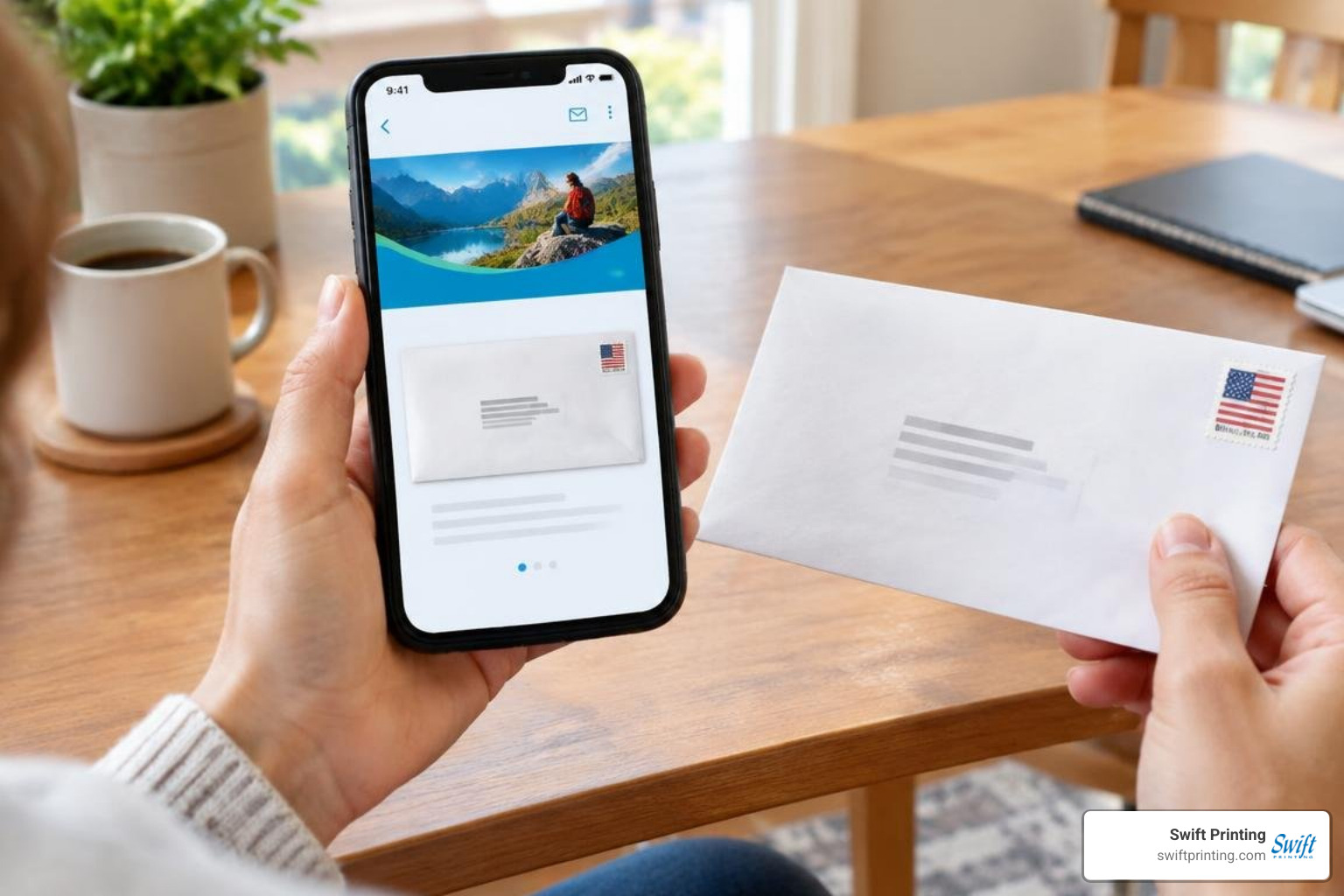
When planning client outreach, pairing custom envelope printing with an interactive campaign creates an immediate visual impact. Through the USPS Business Customer Gateway, organizations can attach full-color "ride-along" banner ads and direct website links beneath the scanned envelope image.
When an enrolled recipient checks their morning email, they see both the crisp exterior of your envelope and a vibrant digital call to action. To ensure accurate address matching across postal databases, proper data hygiene is essential; taking the time to review formatting a spreadsheet for a mailing prevents address discrepancies and ensures smooth delivery.
Direct Mail Best Practices for Professional Organizations
High-touch organizations understand that tactile communication builds trust. Exploring why direct mail still works reveals that physical correspondence carries significant credibility, particularly for estate planning attorneys, medical specialists, and financial consultants.
Working with an experienced provider for comprehensive mailing services ensures that your physical mailpieces comply with automated sorting requirements while maximizing visual appeal. Integrating custom print with synchronized digital links allows your organization to reinforce brand messaging and simplify client response paths.
Frequently Asked Questions About USPS Informed Delivery
Why are some pieces of mail missing from my daily preview?
Only letter-sized mailpieces that run through automated optical sorting machinery receive exterior grayscale scans. Larger items such as thick flats, magazines, padded mailers, and packages are not photographed, though barcoded packages will still appear in your tracking dashboard. Additionally, local sorting schedules mean an imaged piece may take an extra day or two to reach your physical box.
Can businesses sign up to preview incoming mail at a commercial address?
Informed Delivery preview notifications are strictly limited to residential addresses and individual personal P.O. Boxes. Commercial enterprise addresses are not eligible to receive consumer preview digests. However, businesses can actively use the USPS Business Customer Gateway to create and run interactive campaigns for their outbound client mailings.
What is USPS Electronic Signature Online (eSOL)?
USPS Electronic Signature Online is a secure feature within your account settings that allows you to provide a digital signature for incoming items. Once enrolled, your digital authorization can be applied to eligible items such as Priority Mail Express and items requiring Signature Confirmation, allowing the carrier to leave the package in your mailbox or designated secure area without requiring you to sign in person at the door.
Conclusion
Managing modern postal communication requires a clear understanding of both digital tools and high-quality print. By utilizing United States Postal Service Informed Delivery, households and professionals can maintain total visibility over incoming correspondence, track critical client documents, and anticipate daily deliveries with ease.
For organizations looking to elevate their client communications with boutique-quality print and reliable delivery execution, Swift Printing is a high end print shop setting the standard for printing in the boutique business across West Michigan, Grand Rapids, Rockford, Ada, Belmont, Kalamazoo, and Lansing. Connect with our team today to discover how our trusted local printing and mailing partner solutions can help your next direct mail project succeed from concept to delivery.