Finding Reliable Services for QR Code Sticker Printing Near You
Why QR Code Sticker Printing Near Me Matters for Local Businesses
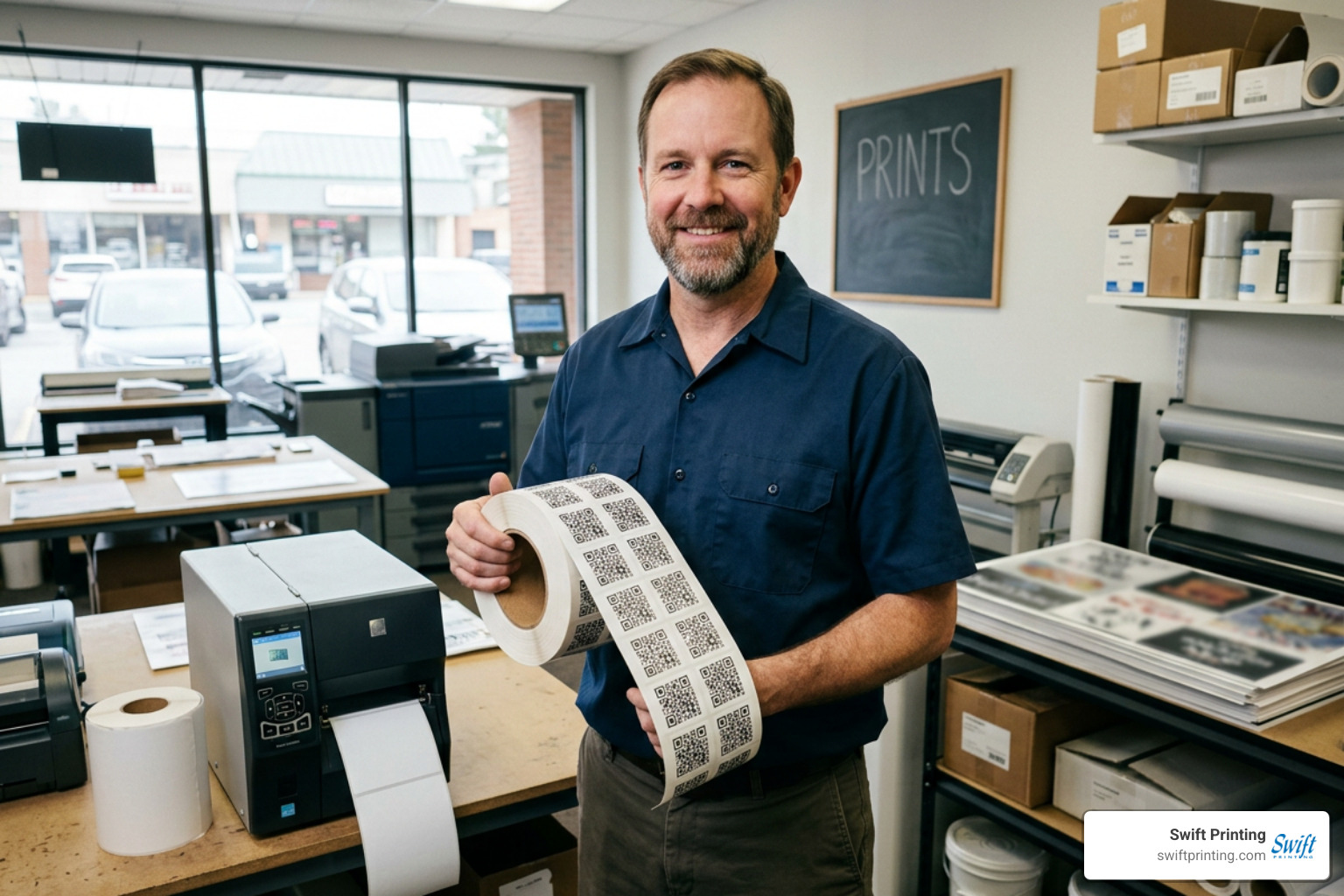
If you need QR code sticker printing near me, here are the fastest ways to find a reliable local provider:
- Search Google Maps for "QR code sticker printing" or "label printing" in your city
- Call or visit local commercial print shops — many offer same-day or next-day turnaround with no minimum order
- Ask about material options — vinyl and synthetic labels last longer outdoors than standard paper
- Request a proof before your full run to confirm the code scans correctly
- Look for shops that offer dynamic QR codes so you can update your destination URL without reprinting
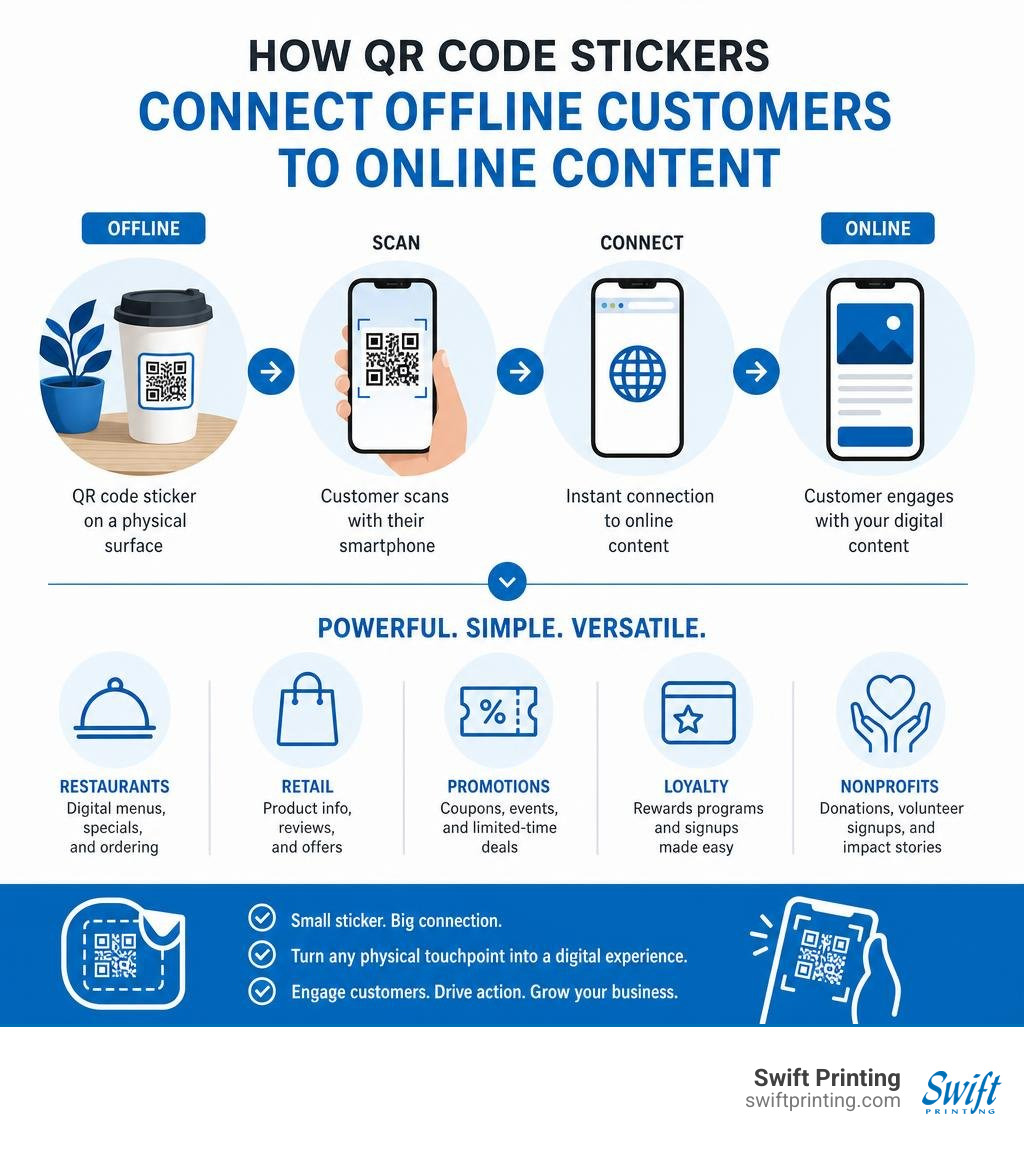
QR code stickers do something simple but powerful: they put a scannable link on any physical surface — a product, a table, a package, a door — and instantly connect people to your digital content. For local businesses, that means turning a small printed label into a tool for menus, promotions, loyalty signups, or product information.
The demand for these stickers has grown fast. Restaurants use them for digital menus. Retailers use them for product pages. Nonprofits use them for donation pages at events. And because printing technology has improved, you can now get high-quality, durable QR code stickers in small batches — sometimes within an hour — from a local printer near you.
Finding the right local printer makes a real difference. Not every shop understands the resolution and contrast requirements that keep QR codes scannable. And not every shop can turn around a small order quickly without cutting corners on material quality.
I'm Jessica Gutowski-Slaydon, president of Swift Printing in Grand Rapids, Michigan — a third-generation commercial printing company that has helped countless local businesses get professional QR code sticker printing near me results they can trust. In the sections below, I'll walk you through everything you need to know to get it right the first time.
Benefits and Key Use Cases of QR Code Stickers for Local Businesses
As physical print media evolves, combining print with modern digital tools is one of the most effective ways to capture customer attention. QR (Quick Response) codes are 2D matrix barcodes that store data both horizontally and vertically, allowing smartphone cameras to read them instantly. When printed on eye-catching adhesive stock, they act as an effortless offline-to-online bridge.
Instead of typing out a long website address or searching manually on social media, your customer simply points their phone camera at the sticker and lands precisely where you want them. Beyond simple convenience, these small labels serve as a cornerstone for modern brand building. Learn more about the power of labels and stickers in building a bold, memorable brand to see how small print elements make a big impression.
How to Find QR Code Sticker Printing Near Me for Business Growth
When searching for qr code sticker printing near me, you are investing in local visibility and measurable growth. The true beauty of a QR code sticker lies in its ability to generate actionable customer data. When linked to dynamic landing pages, you can track scan frequency, peak engagement times, and user geographic locations. This data empowers local business owners to adjust marketing strategies on the fly without changing physical signage.
For local businesses, QR code stickers offer immense value:
- Instant Digital Access: Lead customers directly to promotional discount codes, VIP sign-up sheets, or online review profiles.
- Cost-Effective Outreach: Stickers deliver expansive reach at a fraction of the cost of traditional broadcast media.
- Agile Marketing Campaigns: Dynamic QR codes allow you to change the underlying digital content whenever you launch a new seasonal promotion.
To discover more ways to integrate these tools into your broader outreach strategy, explore why you should use QR codes in your printing and marketing pieces.
Practical Applications Across Retail, Restaurants, and Logistics
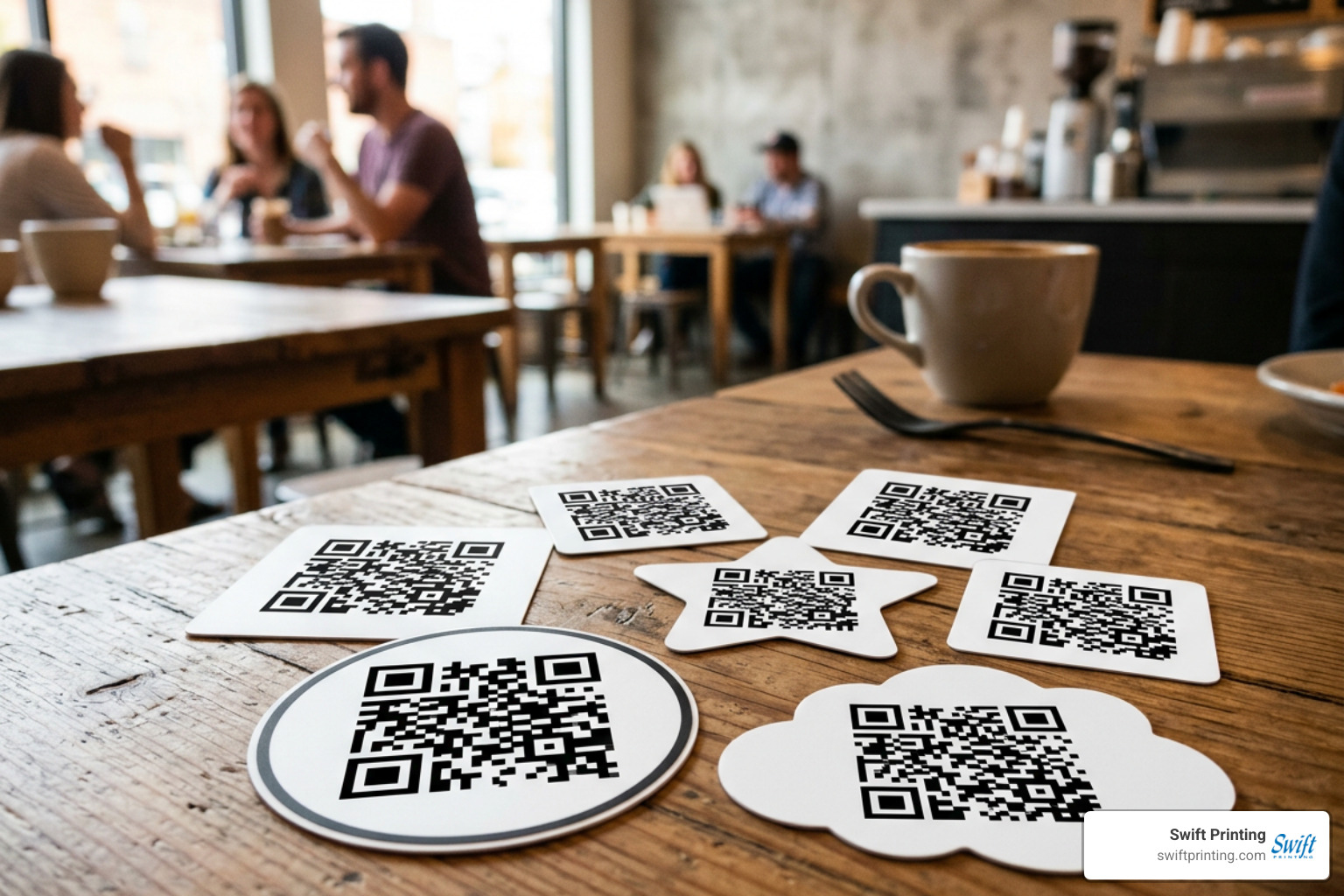
QR code stickers have revolutionized daily workflows across multiple industries. Because they are available in custom shapes—such as circles, squares, rectangles, or intricate die-cuts—they fit neatly onto virtually any item:
- Restaurants and Hospitality: Table-top stickers allow diners to view contactless digital menus, pay their check online, or join a digital waitlist. A 50x50 mm square sticker on a dining table or outdoor bar counter provides a sleek, space-saving menu solution.
- Retail and Product Packaging: Affixing custom QR labels to candle jars, coffee bags, or cosmetic boxes gives shoppers instant access to ingredient lists, video tutorials, or batch authenticity certificates.
- Logistics and Warehousing: Shipping containers and inventory bins require labels that withstand rain, grease, and rough handling. Durable synthetic QR labels ensure trackable data remains scannable through every link of the supply chain.
- Events and Trade Shows: Express label printing options allow event organizers to produce custom badge stickers, check-in signage (typically 60x60 mm or larger), and WiFi access decals on very tight deadlines—sometimes ready in as little as 1 hour with local print partners.
Designing Durable and Scannable QR Code Stickers
A QR code sticker is only valuable if smartphone cameras can read it reliably. Scan errors usually stem from poor color contrast, improper margins, or low file resolution.
When preparing artwork for print, always output your vector graphics or high-resolution image files to prevent pixelation. If you need step-by-step guidance on setting up your digital code properly, check out our guide on how to make a QR code.
Selecting Shapes, Sizes, and Weatherproof Materials
Choosing the correct substrate and finish directly impacts both visual appeal and scan reliability. Glare from glossy laminate can reflect light back into a phone's camera lens, causing the camera to miss the alignment patterns. Therefore, a matte-finished synthetic label—such as polyethylene or polypropylene—is often the gold standard for outdoor and high-lit environments.
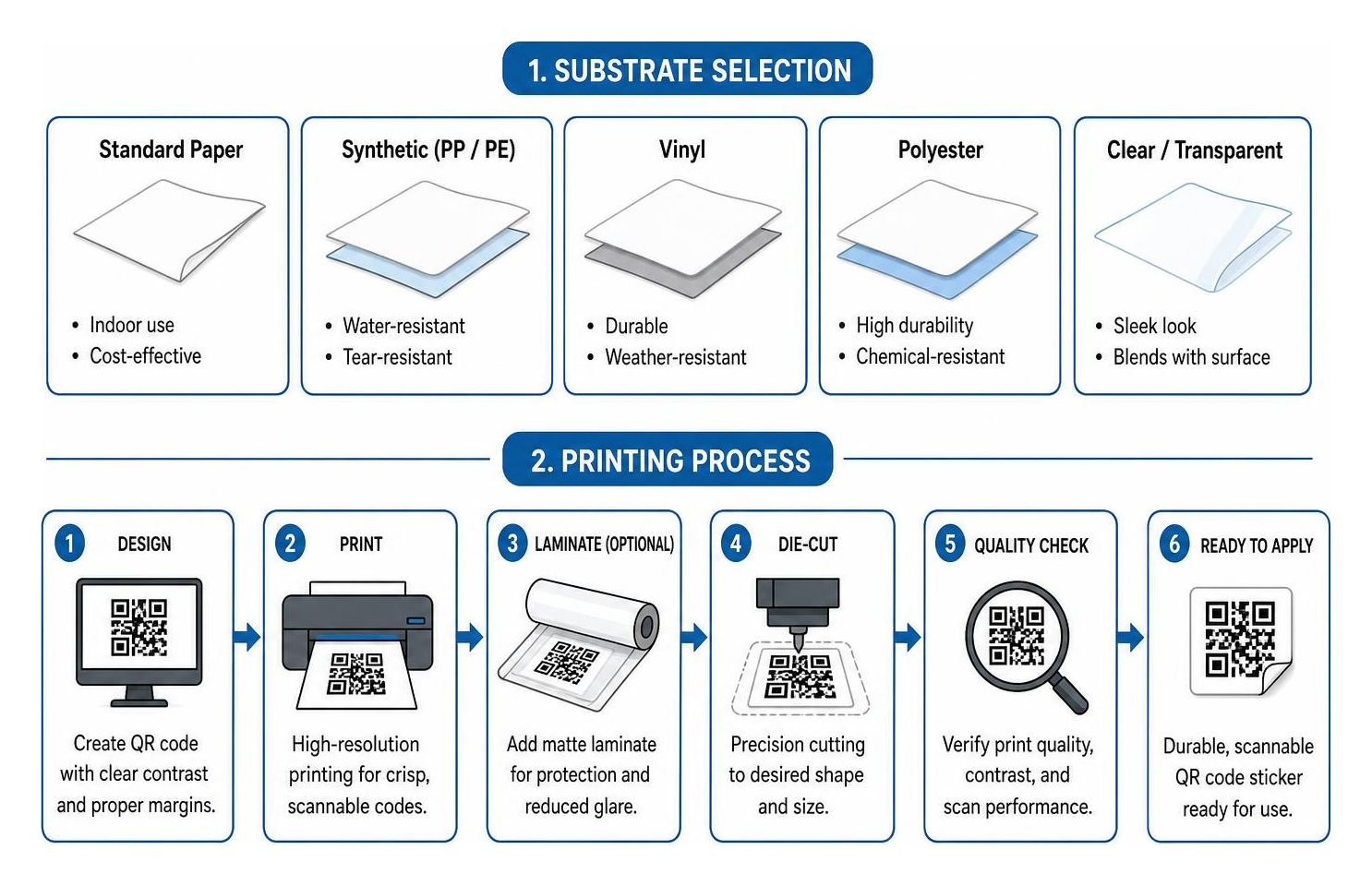
Here is a quick reference guide comparing common QR code sticker substrates:
| Substrate Material | Finish Options | Indoor/Outdoor Rating | Best Use Cases | Key Advantage |
|---|---|---|---|---|
| Standard Paper | Gloss or Matte | Indoor Only | Short-term flyers, temporary box seals | Budget-friendly for high-volume indoor promotions |
| White Vinyl | Gloss or Matte | Indoor & Outdoor | Window decals, bumper stickers, outdoor signs | Waterproof, UV-resistant, and tear-proof |
| Transparent Vinyl | Clear Matte | Indoor & Outdoor | Glass storefronts, sleek glass product bottles | Blends seamlessly into transparent surfaces |
| Polyethylene / Polypropylene | Synthetic Matte | Heavy-Duty Outdoor | Chemical containers, craft beer cans, freezer goods | Resists moisture, grease, chemicals, and extreme temperatures |
When sourcing custom vinyl stickers locally, ensure the adhesive matches your surface. Permanent pressure-sensitive adhesives work best for product packaging, while removable or low-tack adhesives are ideal for temporary window displays.
Contrast, URL Shortening, and Sizing Standards
To guarantee seamless scanning across all iOS and Android devices, keep these technical design parameters in mind:
- Maintain Maximum Color Contrast: The QR code pattern (foreground) must be significantly darker than the sticker substrate (background). While classic black-on-white is the most reliable, dark navy, deep forest green, or charcoal on light backgrounds work well. Avoid light grey on white or dark blue on black.
- Protect the Quiet Zone: QR codes require a blank border (quiet zone) around the four outer edges. This clear border tells the camera lens where the code starts and ends. Never crowd text or logos right up against the outer modules.
- Keep Code Density Low: Overly complex QR codes filled with long URLs create dense, tiny black squares that are difficult for cameras to decode on smaller labels (e.g., 40x40 mm). Use a URL shortener or opt for dynamic QR codes to maintain a clean, open grid.
- Resolution Settings: Always design at 300 DPI (dots per inch) or work directly in vector formats (SVG, EPS, PDF). Never use a blurry low-res screenshot from a mobile screen.
DIY vs Local Professional QR Code Sticker Printing Near Me
When deciding how to produce your stickers, you have two primary routes: printing them yourself using desktop equipment or partnering with a professional commercial print shop nearby.

Home Desktop Printers vs Thermal Label Printers
Standard desktop inkjet or laser printers can handle basic sheet labels, but they have distinct limits when it comes to long-term durability and cost per unit:
- Standard Inkjet Printers: Great for tiny emergency runs at home, but water-based inks tend to smear when exposed to rain, condensation, or oils. Glossy sticker paper printed on an inkjet often creates scan-inhibiting surface glare.
- Direct Thermal & Thermal Transfer Printers: Thermal printers utilize heat-sensitive media or thermal ribbons rather than liquid ink cartridges. They produce crisp 300 DPI edges that last up to 10 years without smudging. Modern desktop thermal units are popular for shipping and basic barcode labels, but they are generally limited to single-color (monochrome) printing.
If your sticker requires full-color brand logos, custom die-cut borders, or specialty UV laminates, a commercial print shop is the far superior choice.
Choosing a Commercial Printer and Estimating Costs
Working with a local print service yields professional material quality, vibrant color management, and production flexibility. Commercial shops utilize digital press technology that eliminates expensive plate setup fees, allowing for cost-effective short runs and immediate turnaround times.
When evaluating local service providers, consider the following checklist:
- No Minimum Order Limits: Look for shops that print as few as 10 stickers or as many as 10,000 without penalty.
- Express Turnaround: Verify if same-day or 1-hour local pickup options are available for urgent events.
- Artwork Proofing: Ensure the print team verifies your QR scannability before pressing print.
- Substrate Variety: Ask whether they stock weather-resistant vinyl, clear matte films, and freezer-grade adhesives.
For fast, high-quality local orders, check out our options for digital short run printing when speed and quality matter or discover how short run digital printing near me can streamline your project deadlines.
Tracking Scan Analytics and Campaign Effectiveness
One of the greatest advantages of using custom QR code stickers is trackability. Unlike static flyers where you guess how many people responded, a dynamic QR code provides precise real-time analytics.
When setting up your campaign:
- Use Dynamic QR Code Generators: Dynamic codes allow you to edit the destination link at any time—even after thousands of stickers have been applied to product containers or window fronts.
- Monitor Conversion Metrics: Track how many total scans occurred, unique device visits, day/time peaks, and exact user operating systems.
- Refine Landing Pages: Direct your QR codes exclusively to fast-loading, mobile-optimized landing pages. If a customer scans a sticker on a product jar, send them straight to a dedicated 30-second instructional video or a one-click reorder form.
- Include a Clear Call to Action (CTA): Don't print a bare QR code in isolation. Always surround it with clear instructions, such as "Scan for 10% Off Your Order" or "Scan to View Our Lunch Menu."
By pairing physical labels with smart analytics, you transform simple print assets into high-converting digital gateways.
Frequently Asked Questions About QR Code Printing
What is the best standard size for a scannable QR code sticker?
The ideal size depends heavily on viewing distance and physical application:
- 40 x 40 mm: Excellent for small product packaging, business cards, and promotional flyers held at arm's length.
- 50 x 50 mm: The industry standard for restaurant table displays, counter signs, and direct mailers.
- 60 x 60 mm to 70 x 70 mm: Recommended for trade show displays, indoor information boards, and window notices.
- 80 x 50 mm (Landscape): The perfect combination format for putting a QR code on the left side with supporting promotional text and your company logo on the right.
Always test scan your printed physical proof using multiple smartphone camera models before completing a bulk run!
How do I find dynamic QR code sticker printing near me?
Finding top-rated dynamic QR code sticker printing near you is simple when you know what to look for. Search for local commercial printers with digital short-run capabilities. Many print shops allow you to upload vector graphics directly online or work alongside an in-house design team.
If you are located in West Michigan, explore local printing in Grand Rapids to learn how local experts manage rapid proofing and high-resolution adhesive printing. Understanding international design standards for QR codes can also help ensure your custom-shaped stickers scan reliably across all devices.
Can I print scannable QR codes using a regular desktop printer?
Yes, you can print QR codes on a standard home inkjet or laser printer using full-sheet or pre-cut adhesive label sheets. However, keep in mind:
- Water-based inkjet ink can bleed or smudge if touched with wet fingers.
- High-gloss sticker paper can reflect overhead light and interfere with camera scanning.
- Alignment errors on pre-cut label templates can cut off the crucial "quiet zone" border.
For outdoor durability, crisp edges, waterproof properties, and custom die-cut shapes, commercial digital printing is always recommended.
Conclusion
Finding reliable qr code sticker printing near me is one of the most effective steps you can take to bridge the physical-to-digital gap in your local marketing efforts. By choosing high-contrast designs, selecting matte or weatherproof synthetic substrates, and partnering with an experienced local printer, you ensure that every scan delivers a flawless customer experience.
At Swift Printing, we bring decades of print craftsmanship to every project. As one of only two Certified B Corporations in the commercial printing industry worldwide, we take pride in balancing top-tier print technology with sustainable practices that care for our people, community, and planet.
Whether you need 25 table-top stickers or 50,000 custom packaging labels, our team provides fast turnaround times, crisp 300 DPI precision, and expert proofing to ensure your codes scan perfectly every time.
Ready to get started? Explore our extensive range of custom label printing options, discover why we are your go-to partner for expert Grand Rapids label printing, or reach out today to request a custom print quote. Let us help you unlock the full power of QR codes and why you should use them in your printing and marketing pieces!