Business Cards With QR Barcode: A Simple Way to Connect Print and Digital
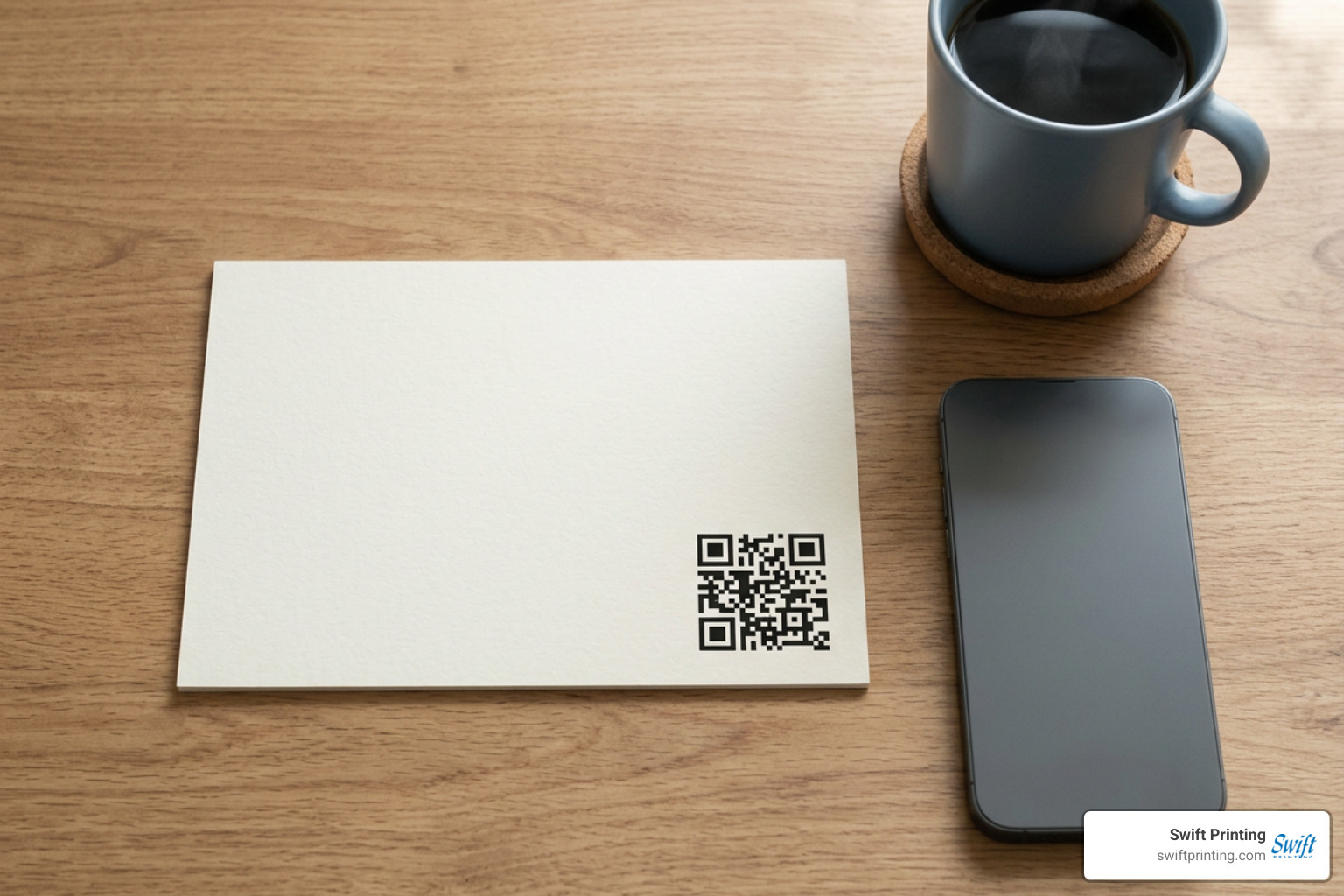
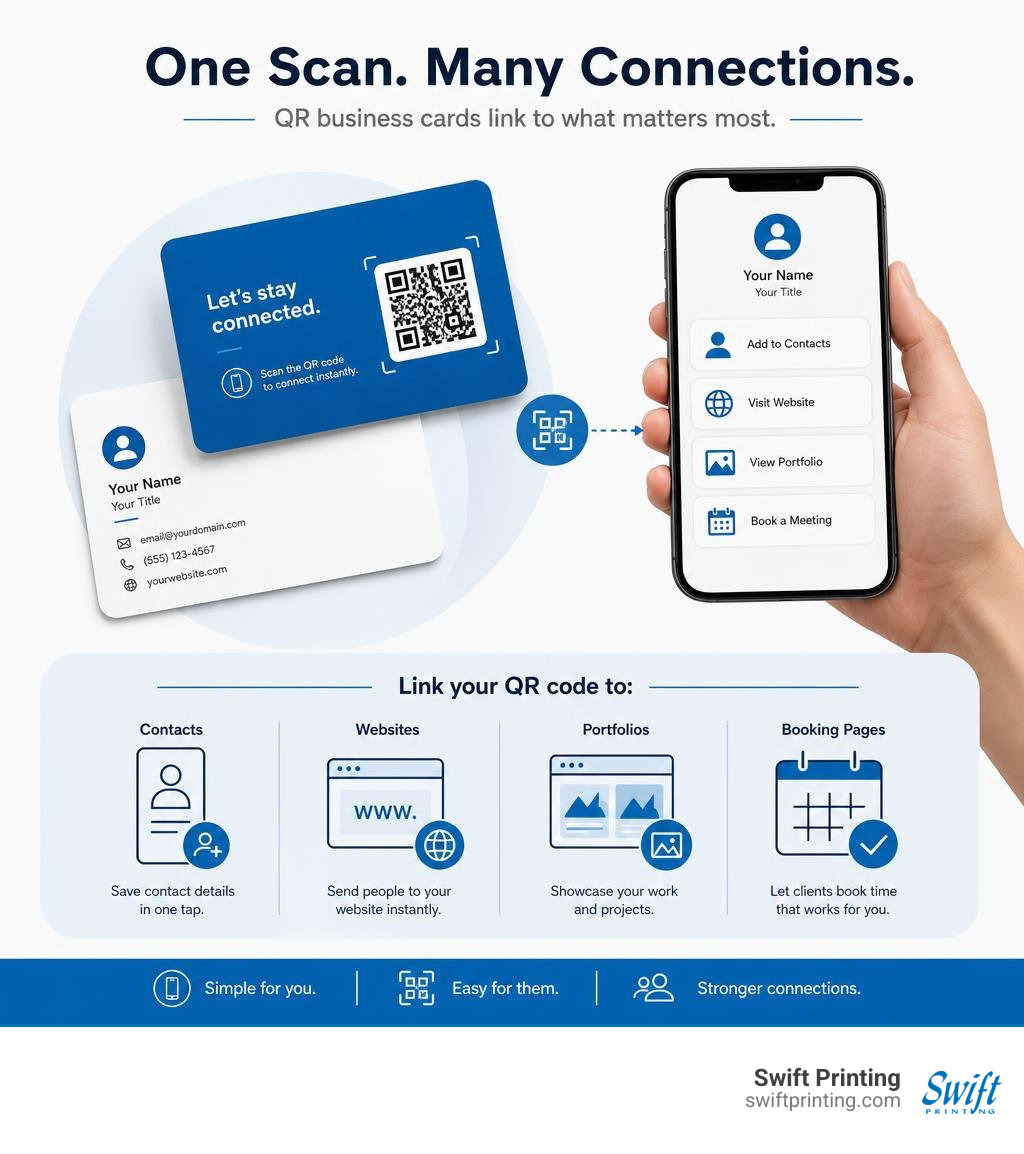
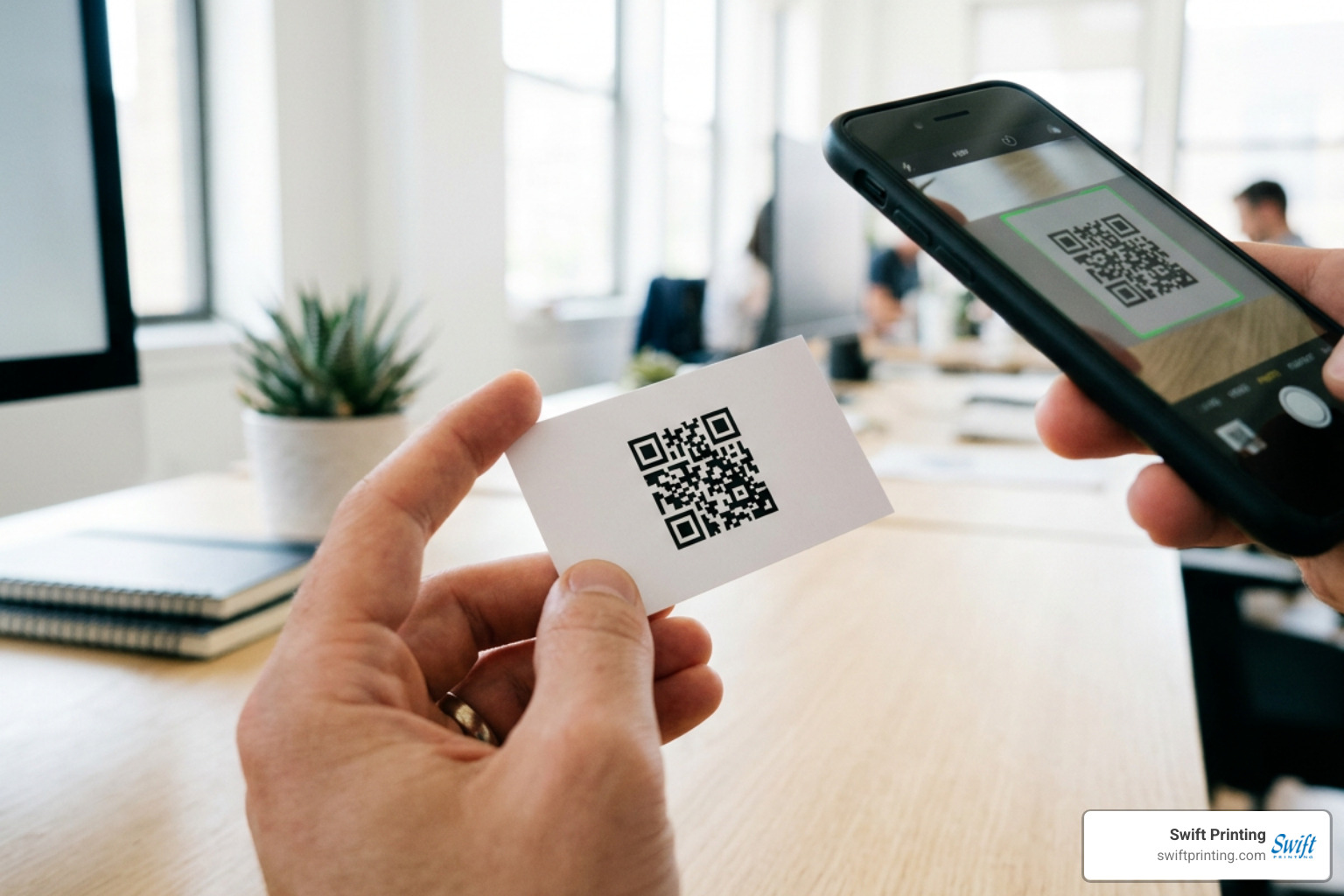
Business cards with qr barcode features give people a fast way to save your contact details, view your work, book a meeting, or visit your website with a phone camera scan. A QR code is a square, two-dimensional barcode printed on the card that opens a digital destination, while the card still provides the personal, face-to-face connection that makes networking work.
| Quick answer | What it means |
|---|---|
| What can it link to? | A contact card, website, LinkedIn profile, portfolio, booking page, or multi-link page |
| Do people need an app? | No. Most modern iPhone and Android cameras can scan QR codes directly. |
| Where does it go? | Usually on the back of the card, or in a clear bottom corner with space around it. |
| Can it change later? | Yes, when you use a dynamic QR code. |
| What size works best? | At least 15 mm x 15 mm; 20-25 mm is often better for a standard U.S. business card. |
A well-made QR code does not replace the basics: your name, company, role, and direct contact details still matter. It simply gives the person holding your card an easier next step and lets a small printed piece carry more useful information.
I am Jessica Gutowski-Slaydon, president of Swift Printing in Grand Rapids, Michigan, and I have spent years helping local organizations create printed materials that look professional and work in the real world. In this guide, I will share practical guidance for designing business cards with qr barcode features that scan reliably and represent your organization well.
Why Modern Professionals Need Business Cards with QR Barcode Integration
Networking in today’s hybrid business environment requires bridging physical handshakes with digital touchpoints. The traditional paper business card remains an unrivaled tool for establishing rapport and trust during initial face-to-face meetings. However, manually typing contact details, phone numbers, and web addresses from a paper card into a mobile device introduces friction and data entry errors.
Integrating business cards with qr barcode technology eliminates this manual friction completely. By encoding standard vCard data or digital destination links directly onto the cardstock, you empower recipients to capture your complete professional profile in seconds. Native scanning capabilities are built into virtually all iOS (iOS 11+) and Android (Android 9+) camera applications, meaning over 95% of active smartphone users can scan your card instantly without downloading third-party software.
From a return-on-investment standpoint, adding a clear visual gateway to your card drastically increases engagement rates. Instead of your card being tucked into a desk drawer and forgotten, a recipient can immediately transfer your contact information into their mobile address book, schedule a follow-up consultation on your calendar, or browse your latest portfolio before they even walk away from your booth. To explore why physical tangible print continues to drive real-world business growth, read our guide on In a Digital Age, Why You Still Need Business Cards.
Dynamic vs Static Options for Business Cards with QR Barcode
When setting up business cards with qr barcode elements, choosing between static and dynamic codes is one of your most crucial pre-production decisions:
- Static QR Codes: A static QR code hardcodes your raw destination payload—such as a complete vCard or direct website URL—directly into the physical dot pattern. Once printed, a static code can never be modified. While static codes last indefinitely without subscription management, dense contact payloads require larger grid patterns (more rows and columns of modules). This higher module density makes the printed code harder to scan at small physical sizes.
- Dynamic QR Codes: A dynamic QR code encodes a short redirect web address that routes the user to your final destination URL. Because the encoded string is concise, the physical barcode remains clean and less dense, keeping it highly scannable even down to compact 15 mm x 15 mm footprints. More importantly, dynamic QR codes allow you to edit destination links, update phone numbers, or alter promotional campaigns whenever needed without reprinting your cards, saving significant printing costs over time.
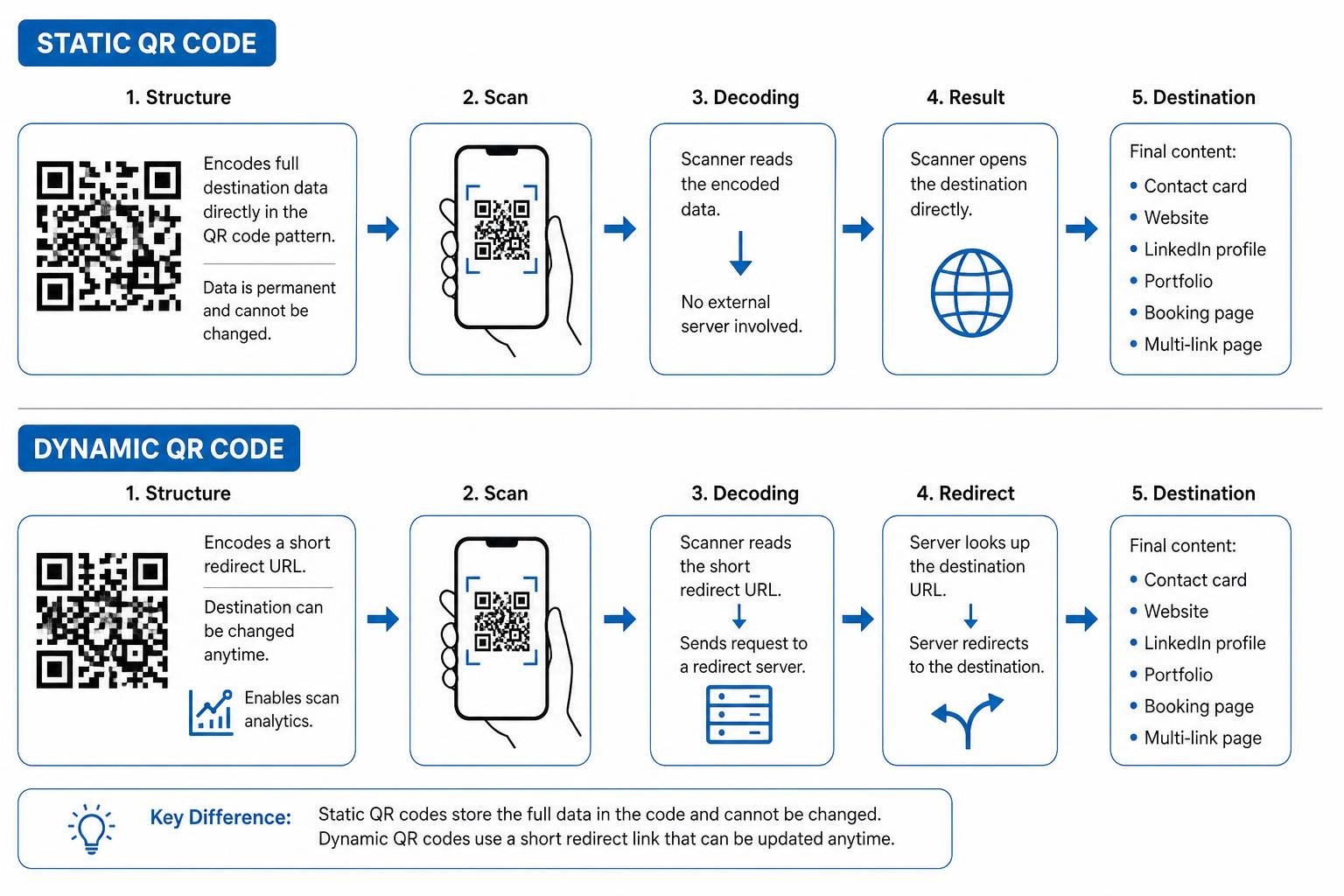
Additionally, dynamic barcodes unlock comprehensive scan analytics. You can track total scan counts, unique device scans, geographic locations, and time patterns to measure the precise impact of networking events and trade show distributions.
Comparing QR Barcode Cards to NFC Alternatives
Near Field Communication (NFC) cards have gained attention in recent years as high-tech networking tools. NFC cards contain embedded microchips that transmit contact files when tapped against compatible smartphones. However, physical paper cards featuring printed 2D barcodes offer distinct operational advantages over NFC hardware:
- Universal Hardware Compatibility: While NFC reading varies depending on phone models, operating systems, case thicknesses, and user settings, native camera QR scanning is universal across all modern mobile devices.
- Cost Efficiency and Bulk Scalability: NFC cards cost anywhere from $10 to $30 per card, making them cost-prohibitive to distribute generously at industry trade shows or sales meetings. Print-based QR cards cost standard cardstock printing rates, allowing you to distribute thousands of scannable cards cost-effectively.
- Eco-Friendly Recyclability: NFC cards rely on embedded plastic circuits and metallic antennas that make eco-friendly disposal difficult. High-quality paper business cards printed on sustainably sourced stock can be recycled effortlessly.
- Visual Intuition: Scanners know exactly what to do when they see a square 2D barcode paired with a "Scan to save contact" call-to-action. NFC chips are hidden within the card material, often confusing recipients about where or how to tap.
If you are exploring digital card implementations, platforms like Digital Business Card QR Code — Never Reprint Cards Again | QRZY illustrate how dynamic routing gives physical paper cards digital capabilities without hardware overhead.
Strategic Link Destinations and Industry Use Cases
The true strategic power of business cards with qr barcode additions lies in where you direct your prospective clients. Avoid sending visitors to generic corporate homepages where they must search for your contact info. Instead, match your destination link directly to your primary networking objective.
Essential Content to Link from Your Code
- vCard File Downloads: Directing your code to a hosted .vcf file prompts the scanner’s operating system to save your full name, title, company, phone number, email address, physical location, and photo into their contacts with a single tap.
- LinkedIn Profile Connectivity: Ideal for corporate sales reps, consultants, and executives who want to build immediate, direct professional network connections.
- Online Portfolio Galleries: Perfect for visual artists, commercial photographers, interior designers, and architects who want their physical card to trigger a mobile gallery of recent projects.
- Calendly or Booking Links: Great for real estate agents, legal consultants, account executives, and service providers looking to turn brief networking conversations directly into scheduled client meetings.
- Multi-Link Hub Pages: Direct users to a branded mobile hub page featuring clean buttons for your phone, email, website, social profiles, and location map.
- WhatsApp Click-to-Chat Shortcuts: Enables international clients or mobile-first consumers to launch a direct message thread with your sales desk instantly.
Designing Custom Business Cards with QR Barcode Options for Key Industries
Different industries require specialized approaches when integrating QR barcodes into business card designs:
- Real Estate Agents: Feature a dynamic QR code linking to current property listings, video walkthroughs, and personal agent contact details. Adding a quick label like "Scan for video tour & listings" transforms a simple card into an interactive sales flyer.
- Creative Professionals (Designers & Photographers): Center a minimal, custom-styled barcode on the back of textured premium cardstock to guide prospective buyers straight to high-resolution visual portfolios.
- Corporate Sales & B2B Executives: Place subtle vCard codes in the lower-right corner on the front or back to ensure seamless corporate CRM integration during multi-day conferences.
- Healthcare & Wellness Providers: Direct patients safely to HIPAA-compliant online appointment booking portals or patient intake forms, minimizing waiting room paperwork.
- Trade Show Exhibitors: Print dynamic promotional QRs offering exclusive event discounts or downloadable product whitepapers to capture and track high-intent trade show leads.
Design Standards, Sizing, and Technical Print Setup
Creating scannable business cards with qr barcode artwork requires strict adherence to graphic design and print preflight standards. A beautiful card design is useless if the smartphone camera cannot capture the module matrix accurately.
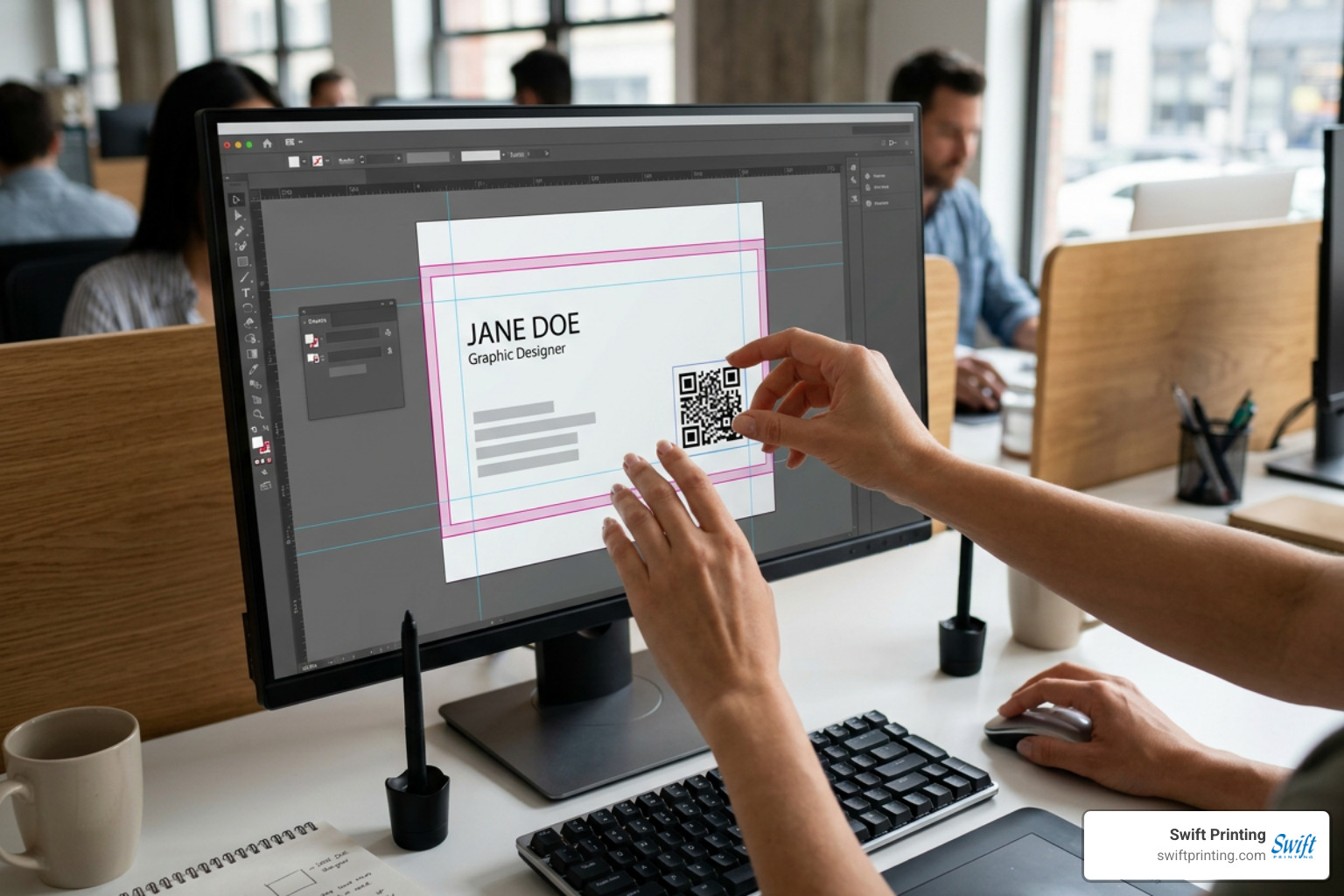
To ensure your card artwork prints perfectly, consult our expert article on Behind the Print: Crafting the Perfect Business Card.
Sizing, Placement, and Quiet Zone Requirements
To maintain reliable scanning across different camera lenses and lighting environments, apply these core layout rules:
- Physical Sizing Standards:
- Absolute Minimum Size: 15 mm x 15 mm (0.6 in x 0.6 in) for short URL destinations.
- Recommended Standard Size: 20 mm x 20 mm up to 25 mm x 25 mm (0.8 in to 1.0 in) for standard U.S. 3.5" x 2.0" business cards. Dense vCard payload QRs must adhere closer to 25 mm to prevent module overcrowding.
- Quiet Zone Margins: You must maintain a clear, unprinted border—known as the quiet zone—around all four edges of the barcode. This quiet zone should be at least 2 mm to 3 mm wide (equivalent to 4 module widths). Never allow background patterns, text boxes, or design accents to cross into this clear boundary.
- Strategic Placement: Over 70% of professional designs place the QR code on the back of the card. This leaves the front clean and uncluttered for essential typography (name, logo, job title, phone number) while giving the barcode ample white space on the reverse side. If placed on the front, position it in the bottom-right corner, ensuring it remains at least 3 mm away from the final trim line.
Color Contrast and Special Finishes on Metal or Textured Paper
Camera sensors detect QR codes by identifying contrast boundaries between dark modules and light background spaces:
- Contrast Ratios: Maintain a minimum 4:1 contrast ratio between foreground modules and background spaces. Dark foreground elements printed on a light background provide optimal scannability.
- K-Only Single Black Ink Printing: When printing dark black QR modules on offset or digital presses, build the barcode using 100% Single Black (K) ink rather than standard 4-color Rich Black (CMYK). Rich black printing can cause micro-registration shifts during press runs, resulting in fuzzy module edges that prevent clear camera reading.
- Cardstock Finishes and Matte Choices: Avoid high-gloss or heavily laminated coatings over dark barcodes, as overhead lighting creates glare reflections that blinding mobile camera sensors. Soft-touch matte or uncoated premium cardstocks deliver superior scan reliability.
- Textured, Metallic, or Embossed Materials: When printing on metal cards, foil-stamped surfaces, or heavily textured linen paper, increase the overall size of the QR barcode by at least 25% to compensate for light scatter and surface disruptions.
How to Create, Test, and Print Your Cards
Setting up print-ready files for business cards with qr barcode layouts follows a straightforward pre-press workflow.
- Select Your Target Link: Decide whether your goal is saving a vCard contact file, booking calendar meetings, or displaying an online portfolio page.
- Generate Vector Artwork: Use a reliable generator to create your code. For detailed setup instructions, visit our dedicated guide on How to Make a QR Code as well as the Free QR Code Business Card Generator - Print-Ready SVG.
- Export Scalable Formats: Download the generated barcode as a scalable vector SVG or EPS file (or a high-resolution 300+ DPI PNG file). Vector graphics scale perfectly without pixelation during commercial printing.
- Position in Layout Software: Import the file into design applications like Adobe Illustrator, InDesign, or Canva. Align the barcode within safe print margins, maintaining the 2-3 mm quiet zone.
- Add a Call-to-Action Frame: Surround the barcode with a subtle border frame paired with a brief instruction like "Scan to save contact" or "Scan for portfolio." Including an actionable call-to-action increases physical scan engagement rates by 20% to 30%.
Avoiding Common Design Mistakes Before Mass Printing
Before placing bulk orders for your organization, review this troubleshooting comparison:
| Common QR Print Mistake | Technical Cause | Professional Setup Solution |
|---|---|---|
| Camera fails to recognize code | Inadequate contrast or reversed colors (light code on dark background) | Always print dark modules on a high-contrast white or light background |
| Blurry module edges | Exporting low-resolution raster images (72 DPI web graphics) | Export scalable SVG vector graphics or high-resolution 300 DPI files |
| Color registration registration ghosting | Using 4-color Rich Black ink builds | Set barcode artwork to pure 100% K (Single Black) ink only |
| Code clipped at card edge | Placing artwork outside safe print bleed guidelines | Keep barcode at least 3 mm inside the trim line with a 2-3 mm quiet zone |
| Scanning fails on folded cards | Barcode positioned across card score or fold line | Position barcodes on flat, uninterrupted card surfaces |
When planning batch volumes for corporate teams or upcoming regional conferences, consult our resource on How Many Business Cards to Order Near Me to estimate print quantities efficiently.
Preflight Scan Testing and Security Best Practices
Never send business card orders to full production without conducting physical preflight scan tests. Print a 100% scale proof on standard office paper or sample cardstock, then perform test scans using both iOS and Android devices under various lighting conditions (bright fluorescent lights, warm indoor ambient light, and outdoor sunlight).
From a security standpoint, protect your brand and recipients by ensuring all destination links utilize secure HTTPS protocol on recognized domains. Educate your team on maintaining secure routing destinations so your distributed print assets remain trustworthy touchpoints.
Frequently Asked Questions About Business Cards with QR Barcode
Do recipients need a special app to scan my card?
No. Modern mobile operating systems feature built-in QR scanning directly within their standard camera applications. When a user points their phone camera at your card's barcode, an automatic browser banner pops up on screen. Tapping the notification opens your web destination or launches the contact saving prompt instantly without third-party utility apps.
Can I track scan analytics and update contact details after printing?
Yes, provided you utilize a dynamic QR code system. Dynamic codes route traffic through a management service, giving you access to real-time analytics dashboards that report total scans, unique visitor devices, operating systems, geographic cities, and time stamps. Because the physical code links to a flexible redirect URL, you can edit your target phone number, social links, or landing page web address anytime without reprinting your existing card stock.
Is it possible to generate print-ready QR codes for free?
Yes. Many online tools offer free vector SVG generation for static vCards and basic web links. Tools such as Business Card QR Code Generator: Make Scannable Cards in 30s | QRCodeStack allow you to generate high-resolution print files quickly. When choosing a generator, confirm that it allows SVG or 300 DPI PNG downloads without imposing forced watermarks or artificial scan limits.
Conclusion
Integrating business cards with qr barcode features transforms a classic paper networking tool into a powerful, interactive digital gateway. By carefully selecting your destination content, adhering to proper quiet zone and contrast design guidelines, and choosing high-quality paper stocks, you ensure every card you distribute delivers maximum value and effortless connectivity.
At Swift Printing in Grand Rapids, Michigan, we bring decades of commercial printing expertise to every project. As one of only two Certified B Corporations in the printing industry worldwide, we combine full-service print capabilities with a deep commitment to environmental stewardship, sustainable paper sourcing, and community care. Whether you need dynamic high-volume business card runs for a nationwide sales team or eco-friendly textured cards for a boutique creative agency, our expert pre-press team ensures your print assets look sharp and scan flawlessly.
To learn more about incorporating interactive codes into your broader marketing strategy, read our guide on QR Codes and Why You Should Use Them in Your Printing and Marketing Pieces, or reach out to our team at Swift Printing today to request physical paper samples and print estimates!